

 Figwise Team
Canva will draw your graphical abstract faster than any other tool you already have. It will not always hand you a file your journal accepts.
Canva is free, it runs in a browser, and your coauthors can open it. Five things break at the moment you export and upload.
- There is no graphical abstract template in Canva. Search for one and you get SWOT charts and portfolio covers.
- The export menu has no TIFF and no EPS, and the resolution controls sit behind a paid plan.
- Canva's own fix for fonts is to flatten the file into a picture.
- The content licence caps Canva's paid elements in online publications, and asks for a credit line in editorial use.
- A PDF export can carry the full, uncropped version of any image you cropped.
None of that means don't use Canva. It means know which step to stop at. All five were read on Canva's own help and policy pages on 25 August 2026, and every claim below links to the page it came from.
Limit 1: Canva has no graphical abstract template
Search Canva's template library for a graphical abstract and you will not find one.
The search does return results — thousands of them. On 25 August 2026 the page for that query offered "20,000+ Graphical-abstract Templates," and Canva's counts drift. Look at what they are: a SWOT analysis, a graphic design portfolio cover, a mind map, a Pinterest pin that reads "Clock out early today."
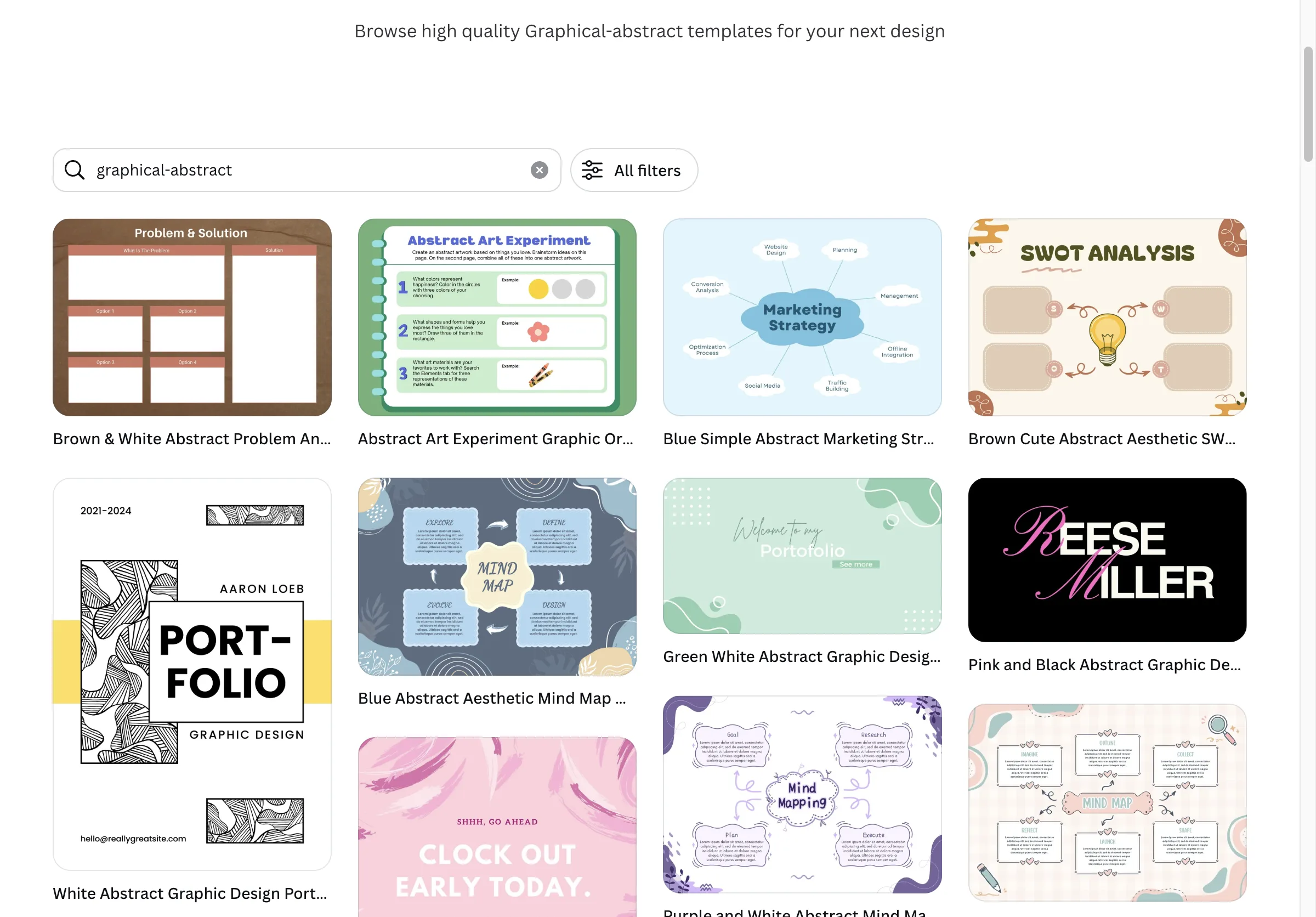
Canva's own results for the query "graphical-abstract". The word "abstract" is matching the art style, not the scholarly document. Source: canva.com/templates, captured 25 August 2026.
The mismatch is a vocabulary accident. In Canva's library "abstract" means a visual style — shapes, blobs, gradients. In your field it means a summary of a paper. The search engine cannot tell those apart, so it serves you the first one.
So you start from an empty canvas, not from a template. Open Create a design, choose Custom size, and set the width and height your journal asks for — the numbers per publisher are on our graphical abstract requirements page.
Then pick a skeleton before you drop in a single icon. Four cover almost every paper: a banded pipeline reading top to bottom, a left-to-right chain, two side-by-side columns, or a radial hub with the conclusion in the middle. Four published abstracts, taken apart shows each one finished.
Limit 2: the export menu is missing the formats journals ask for
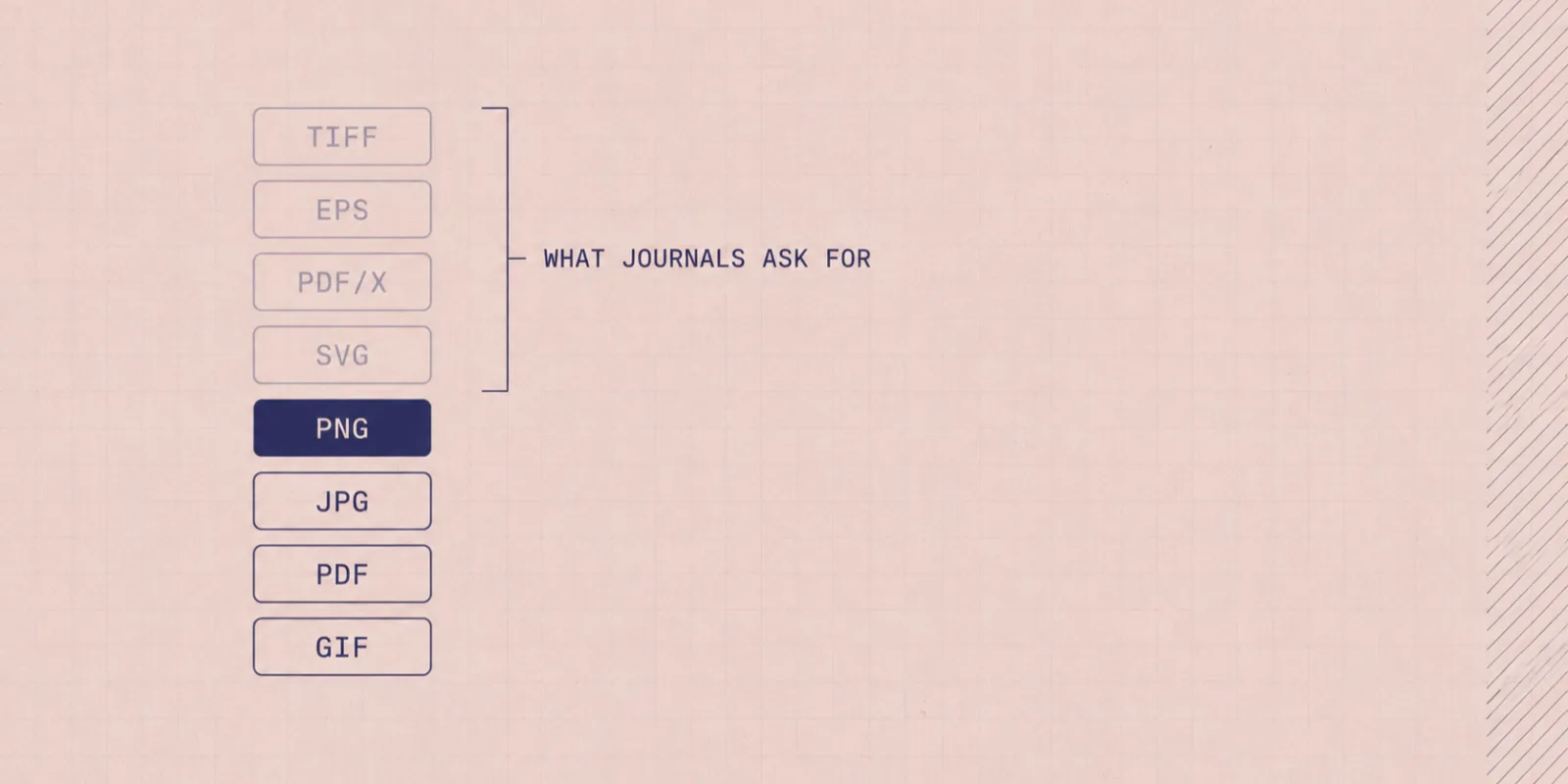
Canva's download menu offers JPG, PNG, SVG, PDF, PowerPoint and Word, plus MP4 and GIF for animation. It does not offer TIFF or EPS.
Look at what your journal wants before you judge whether that is a problem. Several publishers list TIFF or EPS first, one asks for fonts outlined or embedded, and a few accept PNG or JPEG happily — the list differs by publisher, and we keep the specs side by side so you can check yours in a minute. If your journal is in the PNG-and-JPEG group, Canva's export menu is fine.
If it is not, no setting inside Canva will produce the file.
The second half of this limit is the plan you are on. Canva's help page says which export controls are paid features:
"Quality, file size export limit, scale, compression, CMYK color profile options, and transparent PNGs and SVGs are available to accounts with the Canva Pro, Canva for Teams, Canva Education, and Canva for Nonprofits plans."
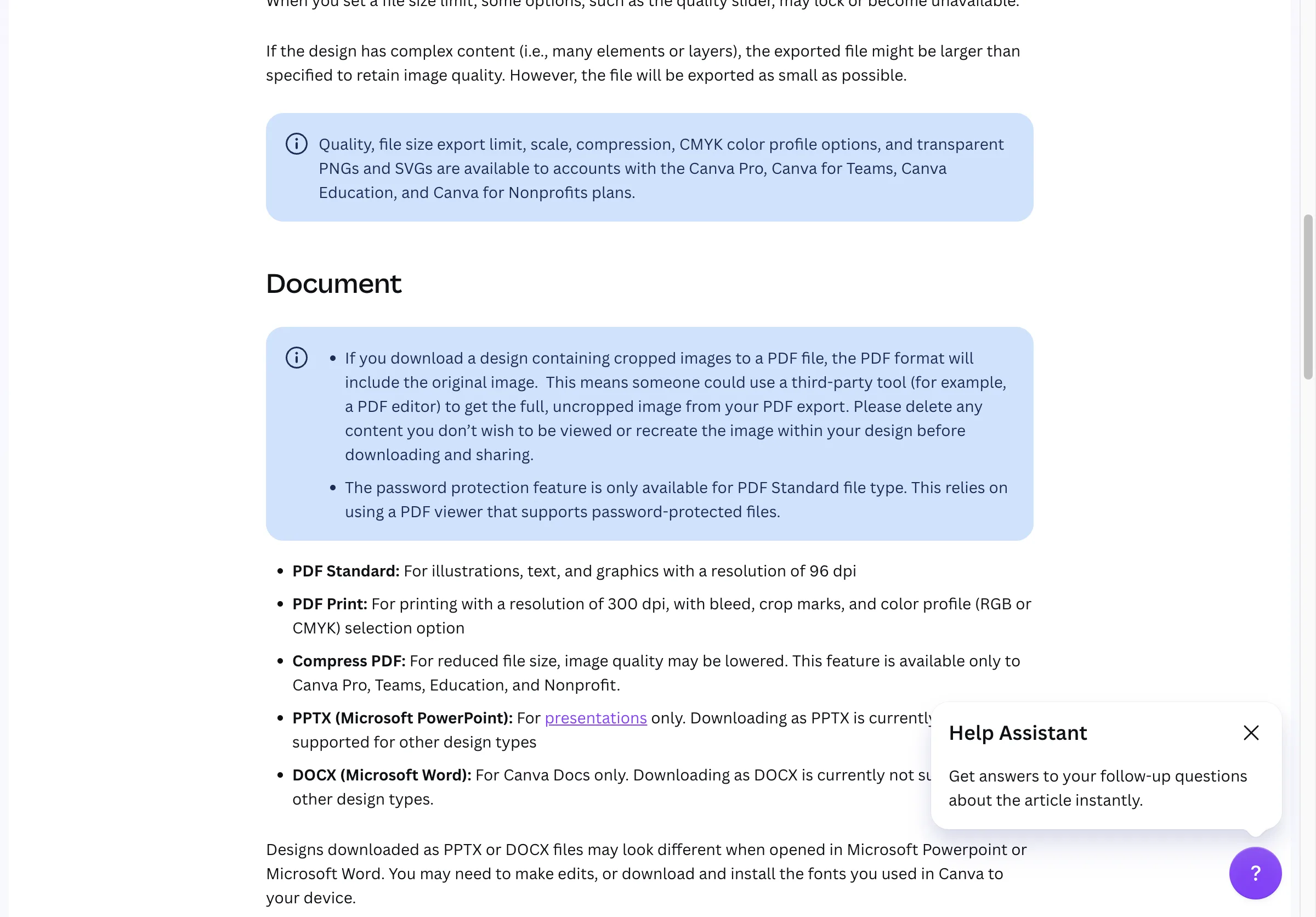
The export controls a submission needs are the ones behind the paid tiers. Source: canva.com/help/download-file-types, captured 25 August 2026.
Read that list against a submission. Scale is how you hit a journal's minimum resolution, CMYK is what a print issue may want, and SVG is the only vector output Canva has.
On the free plan you get none of the three. Canva Pro was listed at US$180 a year for one person on Canva's pricing page on 25 August 2026.
There is a smaller trap in the same menu. Canva offers PDF Standard and PDF Print; only PDF Print carries print resolution, bleed, crop marks and the RGB-or-CMYK choice. PDF Standard is the screen version, and it looks fine on your monitor right up until the upload rejects it.
Limit 3: Canva flattens fonts rather than embedding them
Canva's answer to "will my fonts survive the export" is to turn the page into an image.
The Flatten PDF option is documented in one sentence that says exactly what it does:
"Flattening a PDF in Canva ensures fonts display accurately and secures your design. This process converts the file into a static image, preventing editing in software like Adobe Acrobat."
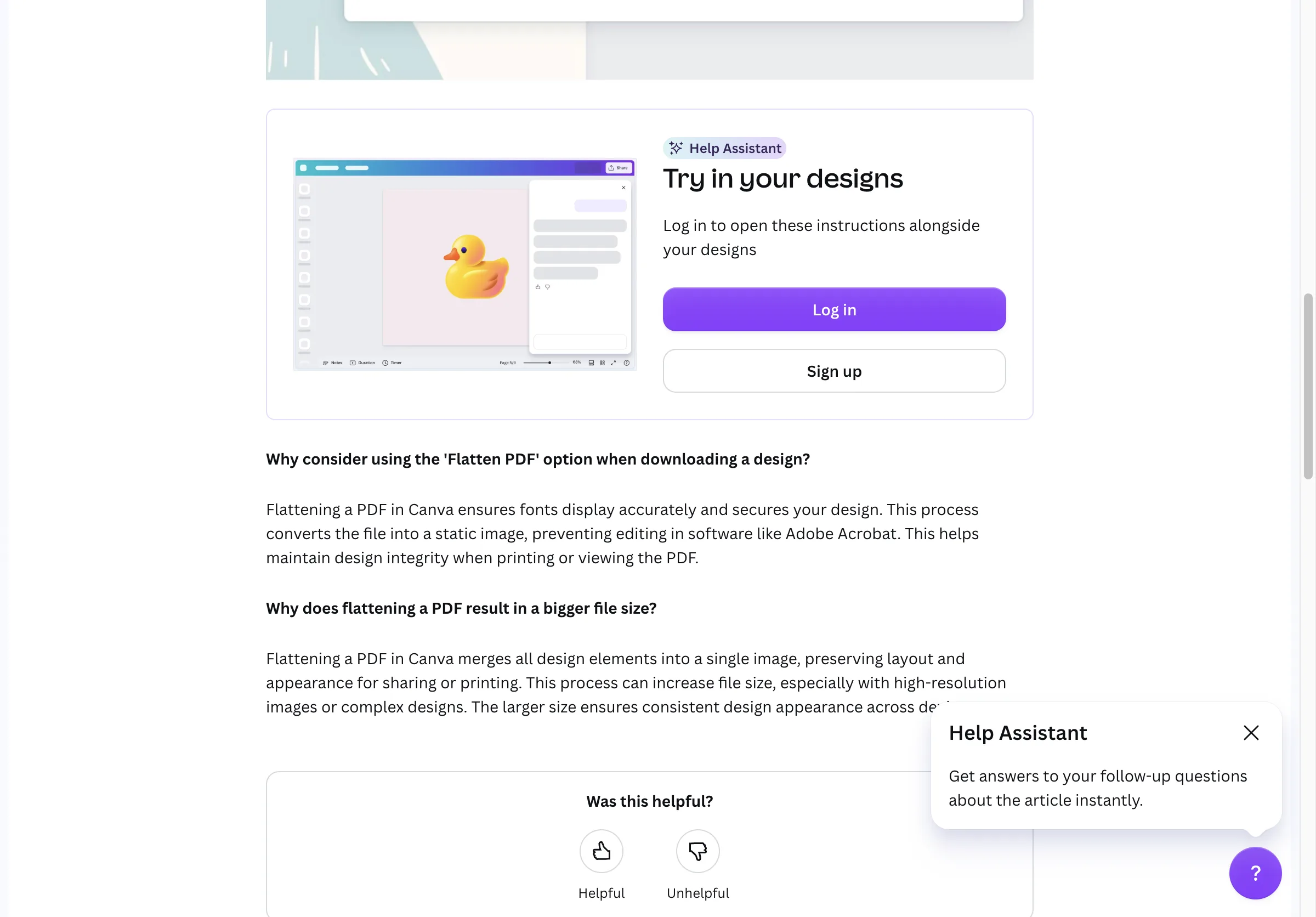
Canva's stated reason to flatten. Fonts display accurately because the text is no longer text. Source: canva.com/help/download-flattened-pdf, captured 25 August 2026.
So a Canva PDF comes in two versions and neither is what a typesetter wants. Flatten it and the text is a picture inside a PDF wrapper. Leave it unflattened and Canva makes no promise about how the fonts render on someone else's machine.
Tools built for print work differently. Adobe Illustrator has embedded and outlined fonts for decades, and even PowerPoint lets you save a file with the fonts inside. Affinity, which Canva owns, gives you four choices on PDF export: turn text into curves, embed every font, embed only the rare ones, or embed none. The same panel has a PDF/X mode, which is what a press asks for.
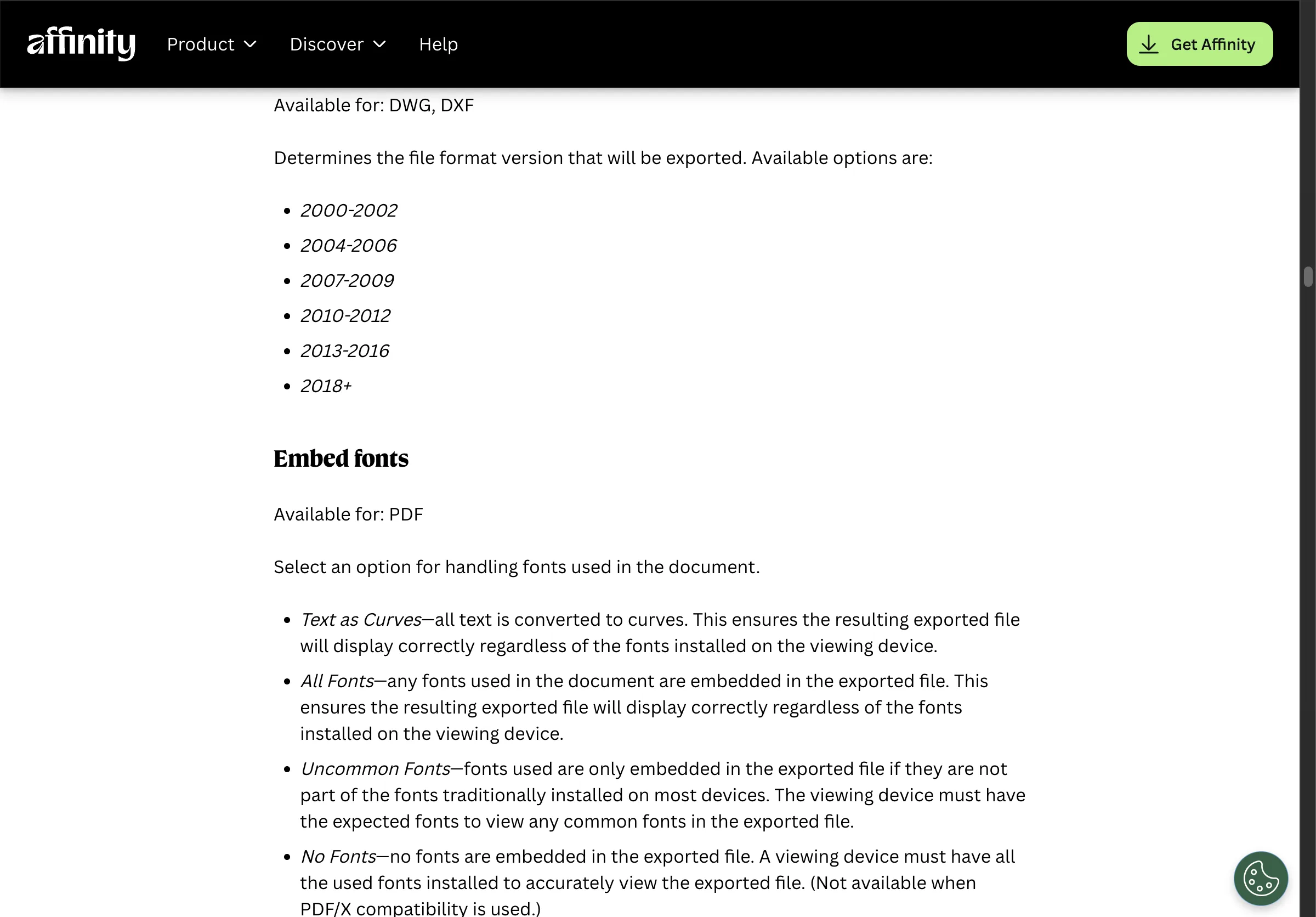
What font control looks like when a tool expects to be printed from. Source: affinity.studio/help/sharing-export-settings, captured 25 August 2026.
Uploading your own font has its own catch. It is a paid feature, and Canva tells you to check first that your font licence allows embedding.
Limit 4: the content licence has a clause about online publications
Canva's licence permits publishing. One clause in it caps how far Canva's paid elements can go.
Start with the good news, which is rare among free science-figure tools. Canva's Content License Agreement lists "online or electronic publications" and "magazines, newspapers, editorials, newsletters" among the uses it allows. Nothing there blocks a research paper. Compare BioRender's free plan, which blocks publication outright.
Now the clause. Section 5A limits Pro Content in electronic publications:
"The use of Pro Content in online or electronic publications, including web pages, blogs e-books and videos, is limited to a maximum of 480,000 total pixels (for example, 600px x 800px) per Content file where un-edited, unless the use is: 1. On a website published via the dedicated Canva Website publish endpoint; or 2. In a Canva-hosted design that is embedded on a third-party website — in which cases, the pixel limit shall not apply."
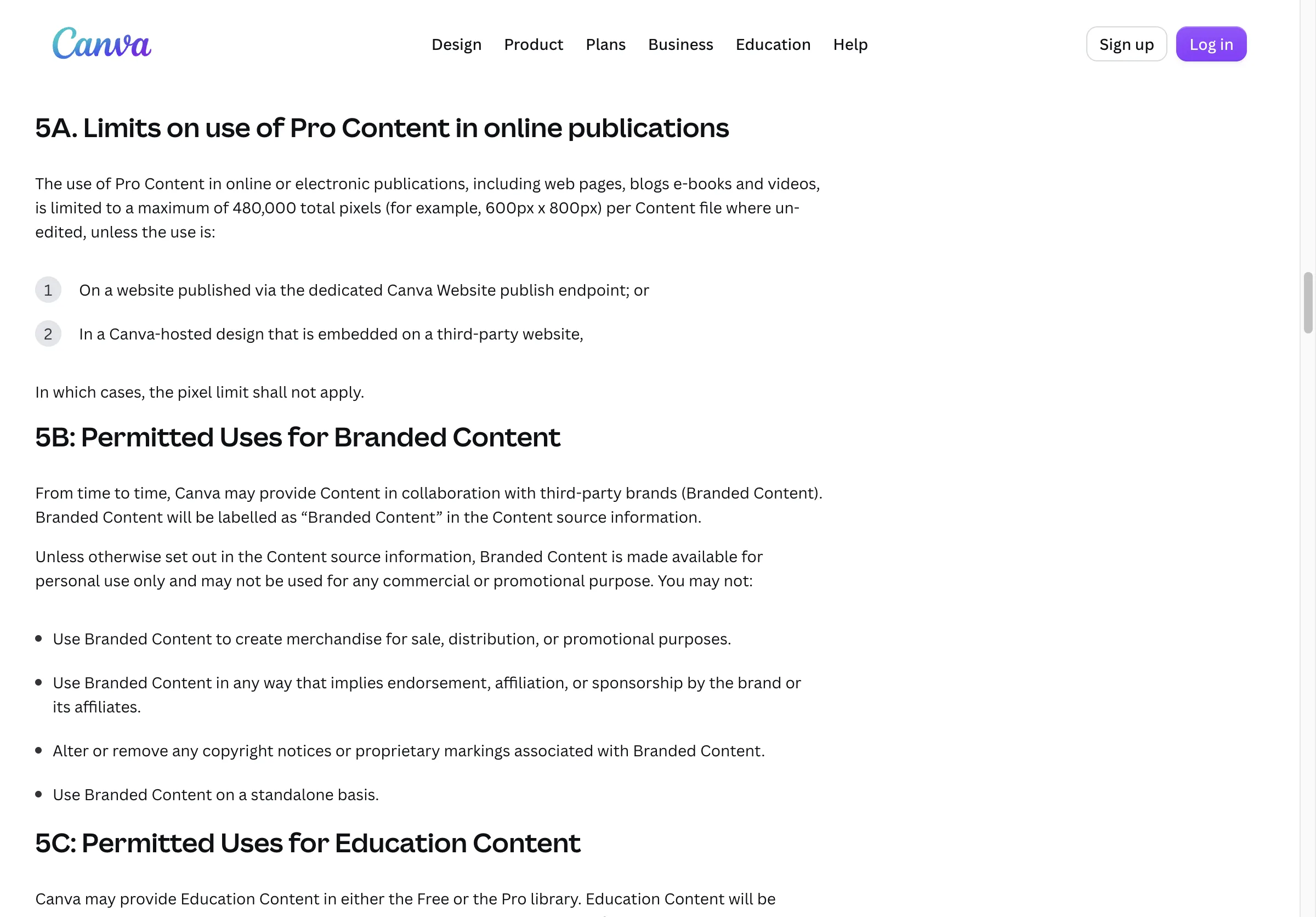
Section 5A of Canva's Content License Agreement. Neither exception covers a journal's website. Source: canva.com/policies/content-license-agreement, captured 25 August 2026.
Two words in that clause do a lot of work, and Canva does not define either. "Un-edited" may or may not describe an icon you recoloured and resized. "Online or electronic publications" may or may not describe a journal article behind a publisher's paywall. The two exceptions do not help you: both require the design to stay hosted by Canva, which a submitted figure never is.
The safe reading is the boring one. Build your abstract from free elements, or from your own artwork, and the clause never applies. If you want a paid element in there, ask Canva support in writing first.
Two smaller obligations sit in the same agreement:
- Editorial use needs a credit. Section 9, Prohibited Uses, lists it as forbidden to use Canva content "for editorial purposes" without the line "©[insert Contributor's Name] via Canva.com" next to it. Whether a research paper counts as editorial is not spelled out. Adding the line to your figure caption costs nothing and settles it.
- A Canva Education account is non-commercial. If your university handed you Canva through its education plan, section 8 of the same agreement restricts that account's paid content to "educational, non-commercial purposes."
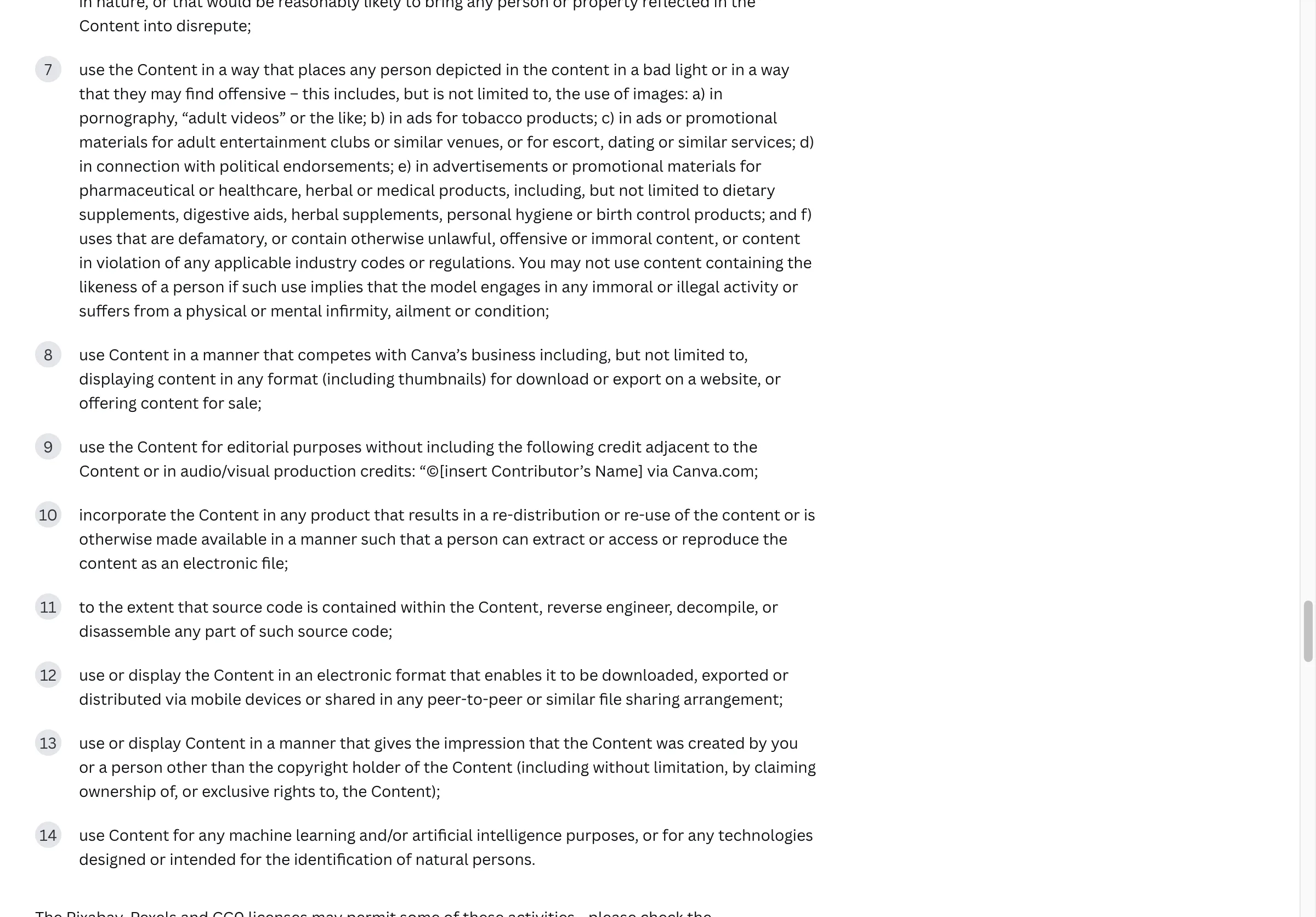
Items nine and ten of Section 9's prohibited-uses list. The credit line is not optional for editorial use. Source: canva.com/policies/content-license-agreement, captured 25 August 2026.
Limit 5: a Canva PDF can leak the picture you cropped
Crop an image in Canva, export the design as PDF, and the original image goes with it.
This is Canva's own warning, on the same help page as the export formats:
"If you download a design containing cropped images to a PDF file, the PDF format will include the original image. This means someone could use a third-party tool (for example, a PDF editor) to get the full, uncropped image from your PDF export."
Visible in the screenshot above, under "Document". Source: canva.com/help/download-file-types, captured 25 August 2026.
Think about what gets cropped in a graphical abstract:
- a panel lifted from a larger microscopy field
- a chart with a second, unpublished condition trimmed off
- a photo of the lab bench with a whiteboard in shot
Cropping in the design tool hides those from the reader, not from the file.
Canva's fix is the direct one: delete the content you do not want seen, or rebuild the image, before you export. Exporting as PNG instead of PDF also sidesteps it, since a raster export has nowhere to hide the original.
What Canva is actually good at here
Canva earns its place before the export step, and that is not a consolation prize. The build itself goes like this:
- Set the canvas. Create a design, Custom size, the dimensions your journal lists.
- Block out the panels. Drag rulers from the edges to mark your rows or columns, then drop rectangles onto them. Canva's snapping guides and the Position panel's align and distribute buttons do the tidying that separates a clean abstract from a messy one.
- Fill with free elements only. Type a search into the Elements panel and filter to free, which keeps you clear of the licence clause in Limit 4.
- Label with text boxes, not baked-in words. One size for the headline, one for panel titles, one for the smallest labels.
- Share the link with your coauthors. Comments land on the design instead of in an email thread, which is how a wrong arrow gets caught before submission.
The hard questions here are the same in any tool: what goes where, which arrow means what, how much text survives. How to make a graphical abstract without redoing it works through them.
The way out is also made by Canva
Affinity exports the formats Canva does not, and it has been free since 30 October 2025.
Canva bought Affinity and then made it free for everyone. The announcement sits on Canva's newsroom, dated 30 October 2025, and "Access to Affinity" was in the Canva free plan's feature list when we read the pricing page on 25 August 2026.
Affinity exports TIFF, EPS, PDF and SVG, with the font controls shown above. For a submitted figure that closes the format gap and the font gap at once, at no cost.
One thing does not carry across. The licence says you "may not copy, download or distribute the Pro Content as a standalone item," so you cannot lift paid elements out of Canva and drop them into Affinity. Free elements and your own artwork move without that problem.
That gives you a two-tool route:
- Sketch and arrange in Canva, as above. Free elements or your own images only.
- Check your journal's file spec on the requirements page.
- Rebuild the final file in Affinity if your journal wants TIFF, EPS or a vector PDF. Type the labels there, so they stay editable when a copy editor asks for a change.
- Keep the editable source. The journal only ever gets a flat picture. Yours is the only version that can be fixed later.
- Name the tool in your caption, along with the Canva contributor credit if any Canva element made it into the final image.
Questions authors ask
Can I publish a Canva design in a journal article?
Yes. The licence lists online publications and printed editorial work among the uses it allows. Three conditions come with it: watch section 5A if you used paid elements, add the contributor credit, and check that your account is not an education plan.
Is there a visual abstract template in Canva?
No. The search does the same thing here: "abstract" matches a visual style, so you get art, not medicine. Medical visual abstracts run to a fixed set of columns, which is quick to rebuild from rectangles and text boxes. If you are not sure which one you were asked for, we compare graphical abstract, visual abstract and TOC graphic.
Do I need Canva Pro for a graphical abstract?
Only if your journal asks for something the free plan will not export: a set resolution scale, a vector file, CMYK, or a clear background. Paid elements are the other reason. A free account pays per element at download.
Can I get a vector file out of Canva?
SVG, on a paid plan. Not EPS, and not a vector PDF with embedded fonts. For vector artwork, Illustrator is the paid standard and Affinity or Inkscape are the free ones. If you are weighing science-figure tools more broadly, we compared what each one lets you publish.
How do I credit Canva in my paper?
The licence gives the wording as "©[insert Contributor's Name] via Canva.com". Take the name from the element's source information in the editor, then put the finished line in your figure caption. Name the design tool in the same caption while you are there — publisher AI and figure policies increasingly ask for the tool to be disclosed.
Can I make charts in Canva for a graphical abstract?
You can, but check whether your target wants one there at all. Cell Press's graphical abstract guide tells authors the graphical abstract should "not include data items of any type; all the content should be in a graphical form." Build the message; leave the plots in the paper.
Before you open Canva
Look up your journal's accepted file types first. That one lookup decides whether Canva finishes the job or hands off to Affinity, and it takes a minute.
Our own graphical abstract maker sits at the same point in the process as a Canva layout: it returns a raster PNG with no editable labels, from a general image model — the class of tool Elsevier rules out for graphical abstracts. It needs an account, costs 30 credits a run, and new accounts start with 85. A sketch to rebuild, like everything else here.