

Pick a start and end value, choose how the ticks are labeled, then mark a point or shade an interval — this number line generator draws it and hands you a clean SVG or PNG to print.
This number line generator turns four settings into a finished diagram — no drawing software, no manually spacing tick marks by hand.
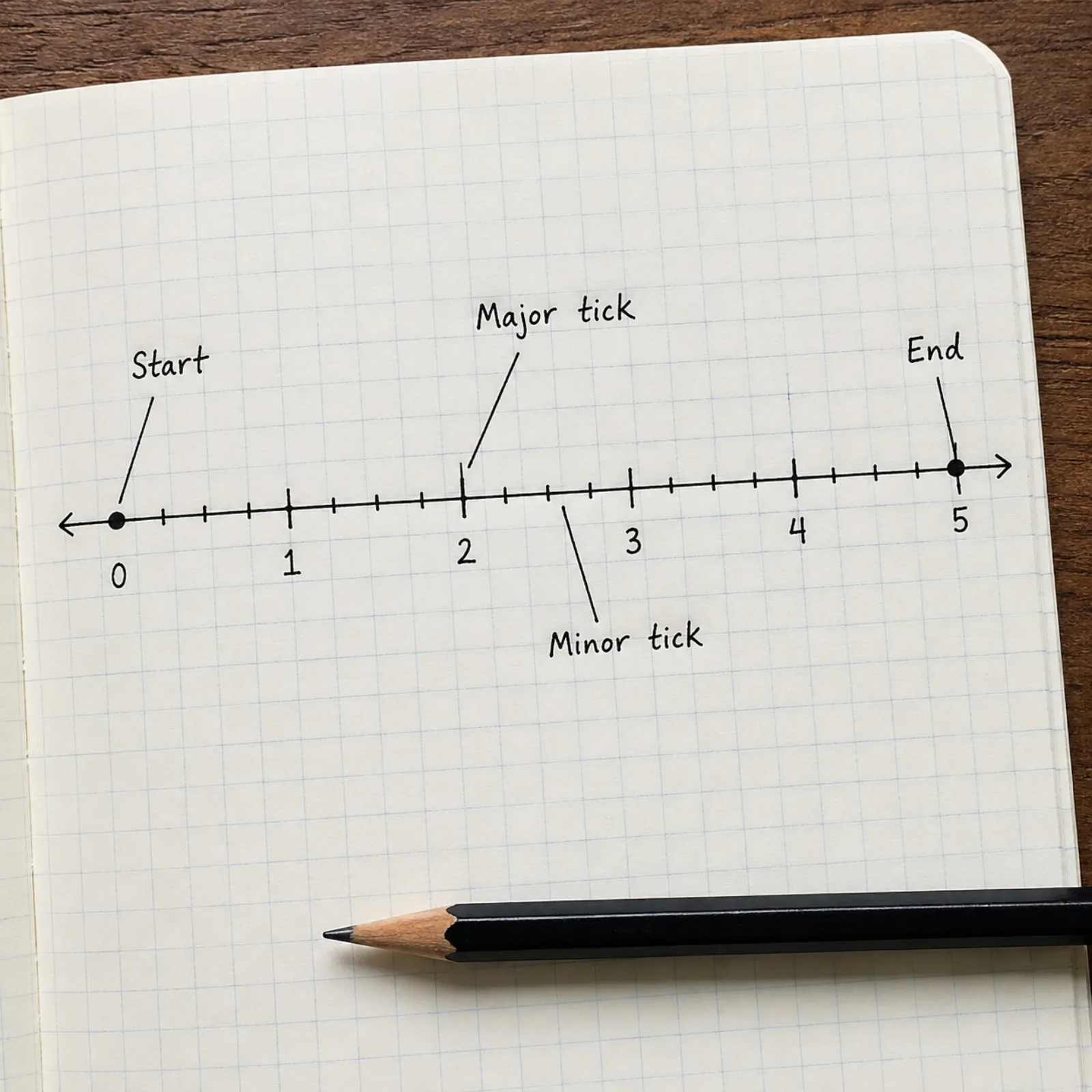
Type a start and end value and a major tick interval. A lesson on negative numbers might run -10 to 10 by 1s; a fraction lesson might run 0 to 2 by quarters.
Switch between integer, decimal, or true fraction labels — the fraction option draws a stacked numerator and denominator, not a plain "1/2" slash. Turn labels off entirely for a blank number line students fill in themselves.
Drop a filled or open circle at any value to mark a point, or shade a range with open or closed endpoints and an arrow for an unbounded side — the standard way to graph an inequality like x ≥ 3.
Export the finished number line as SVG for further editing or PNG for a worksheet, then drop it straight into a document or slide.
The same generator produces very different diagrams depending on what a lesson calls for — here are four the tool is built around.
A -10 to 10 range in steps of 1, built for comparing negative numbers or introducing integer addition as movement along the line.
A 0 to 2 range labeled in quarters with a stacked fraction typeface, useful for showing that 2/4 and 1/2 land on the identical point.
An open circle at 3 with a solid line and arrow extending right, the standard graph for x > 3 — swap to a closed circle for x ≥ 3.
Tick marks with no numbers at all, printed for students to fill in the labels themselves as part of a worksheet or quiz.
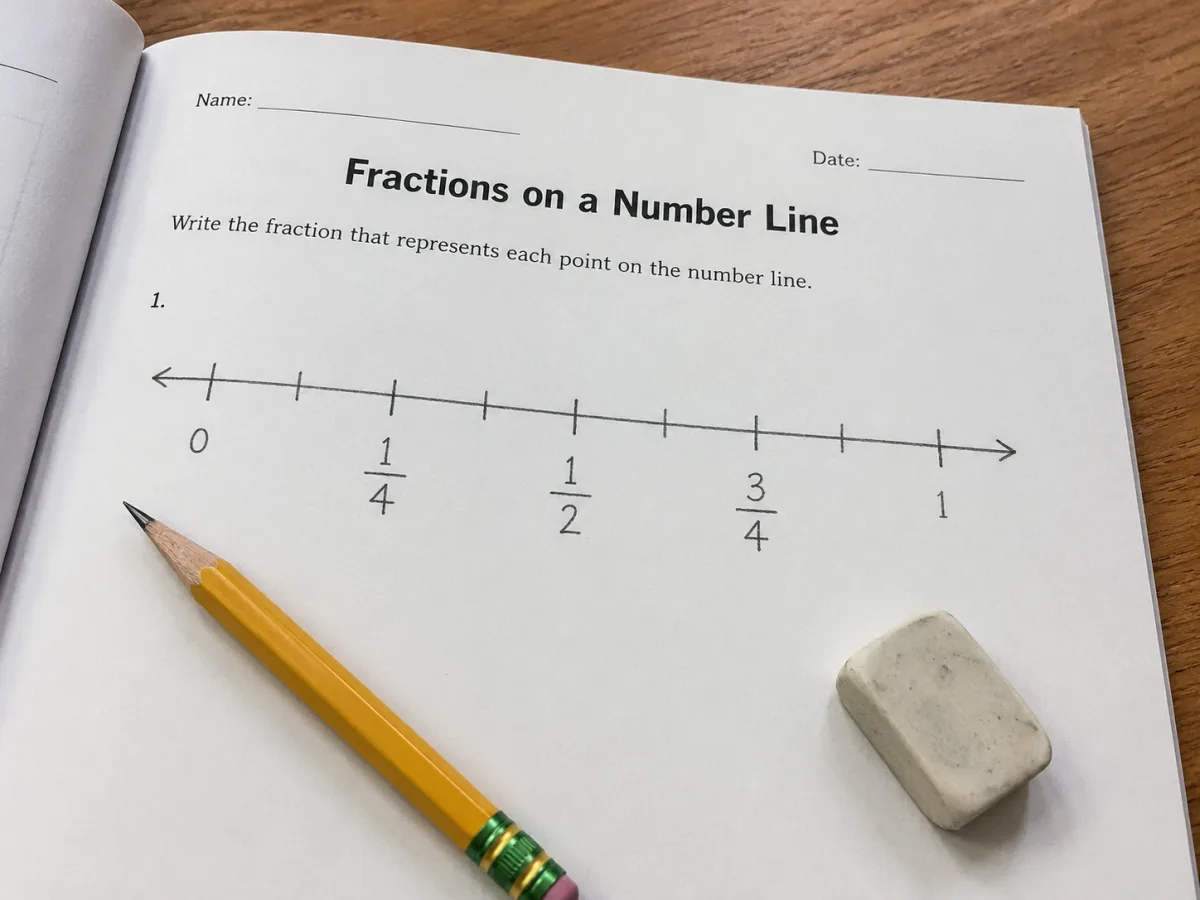
Type a denominator once and every tick on a fraction number line renders as a stacked numerator over denominator with a real fraction bar, the way it appears in a textbook — not "1/4" run together as plain text that a student has to parse.
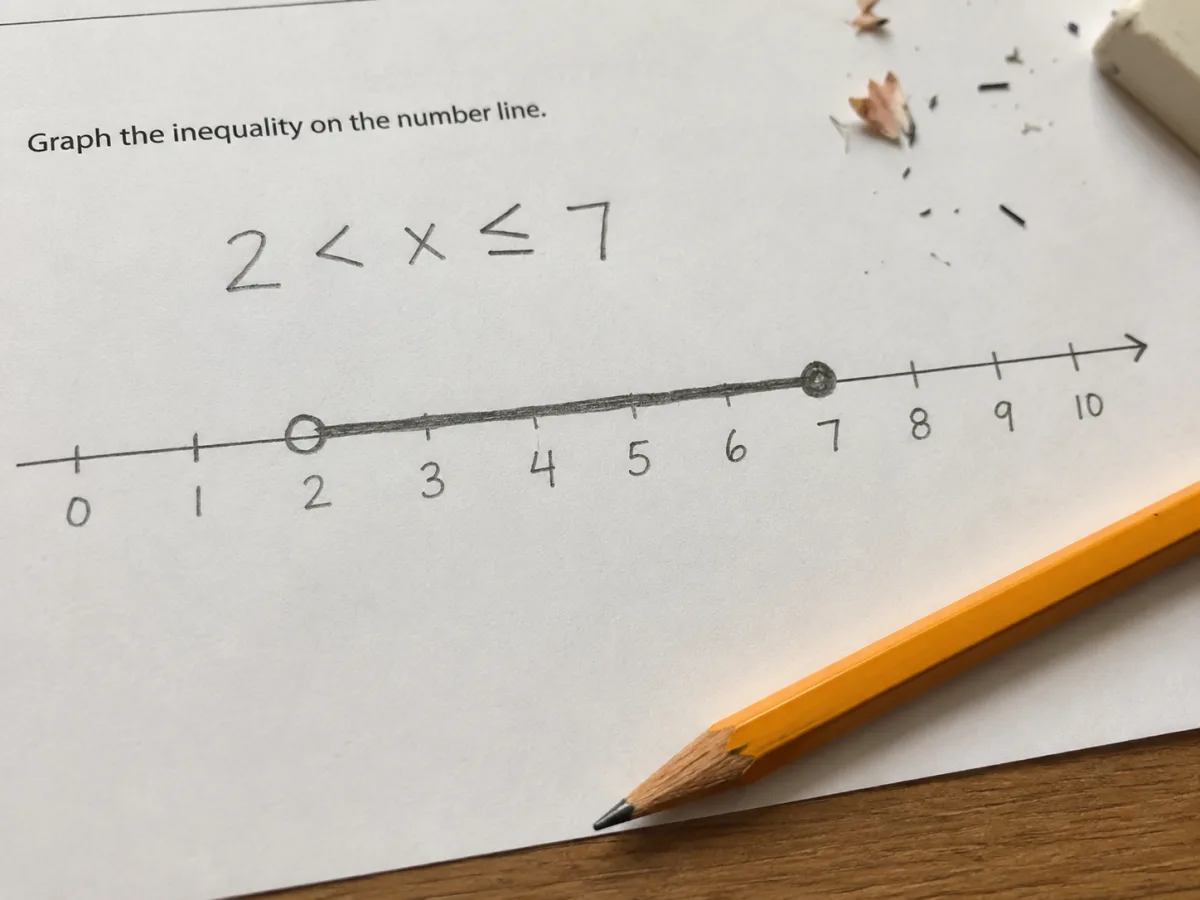
Set each endpoint of an interval to open or closed independently, and let either side run off the edge as an arrow instead of a dot. That combination covers every inequality a middle or high school lesson puts on a number line, from a single point to a two-sided compound inequality.
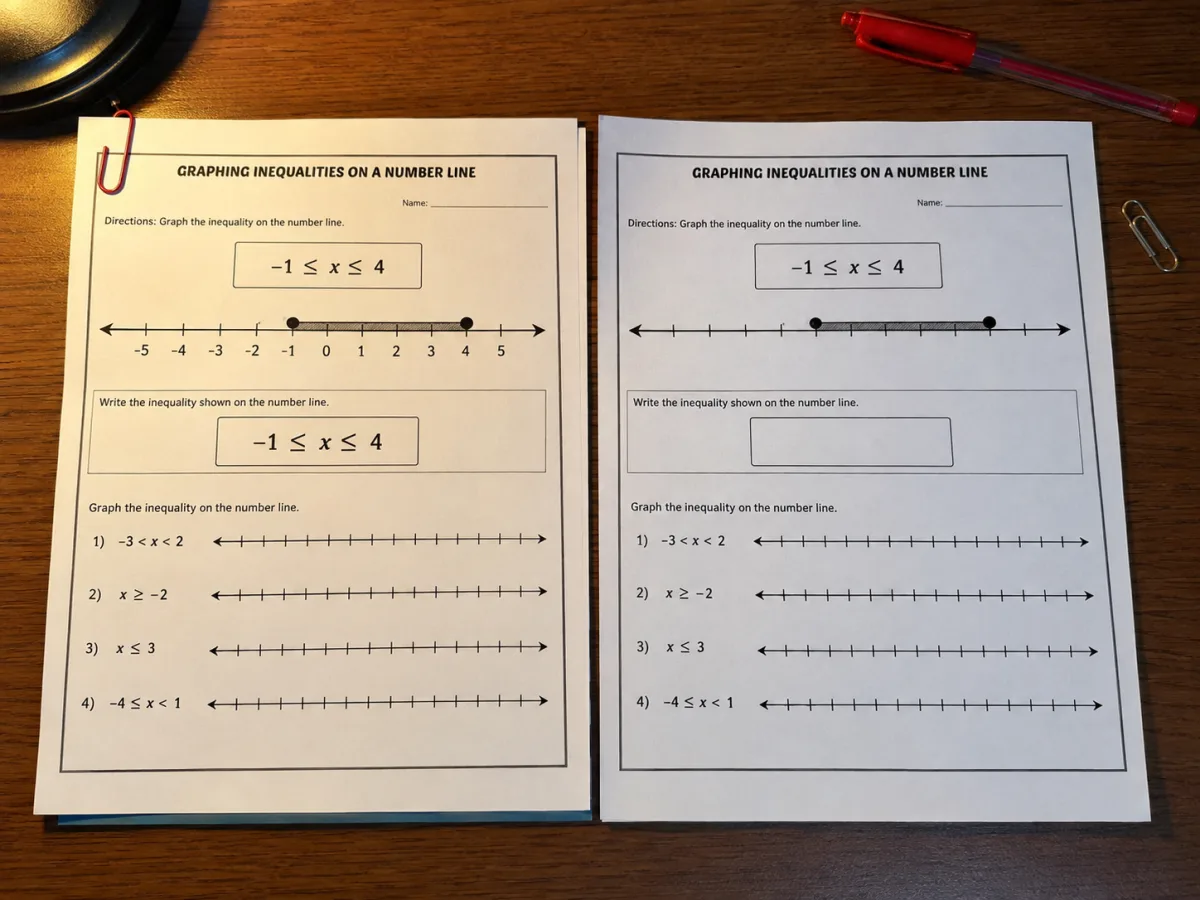
Every range, interval, and point stays exactly where you placed it when you hide the labels — so the same setup that generates an answer key for yourself also generates the blank number line you hand to students, without rebuilding the axis from scratch.
A number line gives students a single picture for ideas that otherwise stay abstract: that numbers have an order, that some are farther from zero than others, and that addition and subtraction are just movement left or right along the same track. Long before a student can manipulate fractions or negative numbers symbolically, a number line lets them see where those numbers live relative to everything else — which is most of what "number sense" means in early math.
Two mistakes show up constantly on a number line, and both are worth naming out loud with students. Comparing negatives by their digit rather than their position is the first — a student reads -5 as bigger than -2 because 5 is bigger than 2, when the line shows the opposite. Placing fractions by numerator instead of by the size of the piece is the second — a student drops 1/8 further right than 1/4 because 8 looks like the bigger number. Marking both values on the same printable number line and asking which point is farther right settles the argument faster than any explanation.
A number line worksheet only works if a student can actually read the ticks, so print size matters more than it does for most classroom handouts. Keep the labels away from the extreme edges of the page, size the export wide enough that tick marks land at least a centimeter apart for anyone below third grade, and print in landscape once the range or the fraction denominators run past a handful of values — a portrait page compresses everything into unreadable single digits.
The questions that come up most often before printing a number line for class or homework.
A handful of other Figwise generators come in handy right alongside a number line — for the same lesson, worksheet, or problem set.
Pick a range above, mark whatever points or intervals your lesson needs, and export a print-ready number line in seconds.