

Place a block, a hanging weight, or a mass on a slope, add labeled force arrows, and export a clean diagram in seconds — no drawing software, no login.
| Label | Angle (°) | Size | Color | Remove force |
|---|---|---|---|---|
Every diagram below came out of the same diagram maker, just with different force sets and object placements — the four situations an intro physics course keeps coming back to.
Gravity splits into a component pulling the block down the slope and one pressing it into the surface, balanced here by the normal force — the incline angle tilts both the ramp and the axes drawn by this diagram maker.
A weight suspended from one vertical cable has only two forces to track — gravity pulling down and tension pulling up — which makes it the cleanest force diagram for introducing equilibrium before a second string enters the picture.
An applied force at an angle, friction resisting the motion, and gravity balanced by the normal force from the floor — four forces at once, arranged the way a homework force diagram usually asks for.
The cabin floor's normal force no longer equals gravity once the elevator accelerates, which is exactly the apparent-weight problem this diagram is built to show — switch on the net force arrow to see the imbalance directly.
A free body diagram, often shortened to FBD, is a sketch of a single object with every external force acting on it drawn as an arrow from its center — nothing else. The object itself is reduced to a dot, a block, or a circle; ropes, surfaces, and the rest of the system disappear once you've replaced their effect with a force arrow.
That isolation is the entire point. Mixing two connected objects into one sketch, or drawing a force the object exerts on something else instead of a force acting on it, produces a diagram that looks similar but cannot be solved with Newton's second law. It only earns the name once gravity, normal force, tension, friction, and applied force are drawn separately, each pointing the direction it actually acts.
Reading one means checking whether the arrows balance. If the object sits still or moves at constant velocity, opposing arrows should be equal in length and cancel along each axis; if it accelerates, they won't cancel, and the leftover — the net force — points the same way as the acceleration.
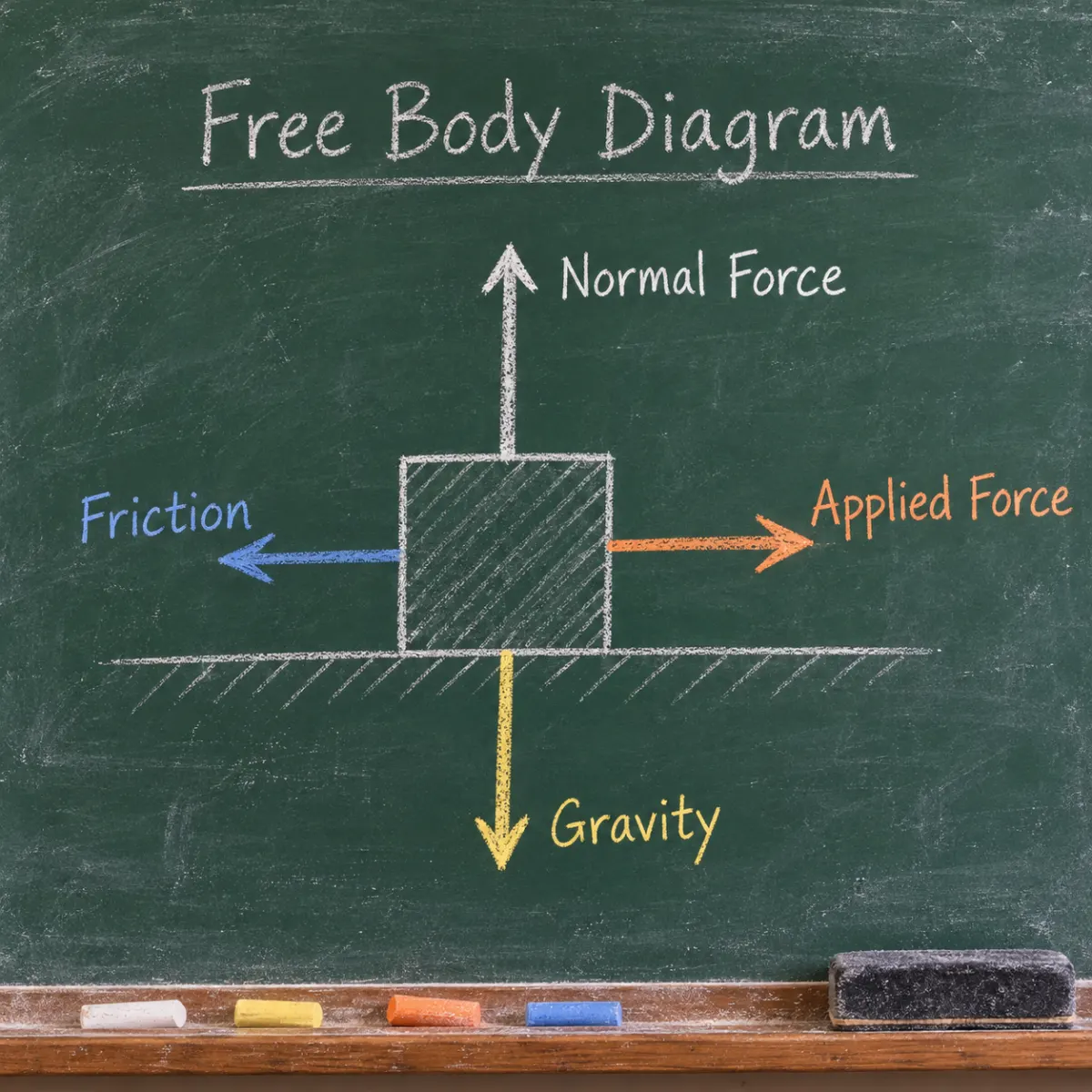
This diagram maker turns a short list of forces into a labeled vector sketch you can drop straight into a lab report or a problem set.
Choose a block or a circle for the object, name it, and set an incline angle if it's sitting on a slope rather than flat ground — leave the angle at zero for a horizontal surface or a hanging weight.
Add one row per force: a short label like Fg or N, a direction in degrees, and a relative size. Gravity always points straight down; everything else depends on the scenario you're diagramming.
Switch on coordinate axes to show how forces decompose along and across an incline, or reveal the net force vector to check whether the diagram represents equilibrium or acceleration.
The sketch updates as you edit any row. Once the arrows and labels look right, download it as SVG for further editing or PNG for a report — both render at the resolution you see in the preview.
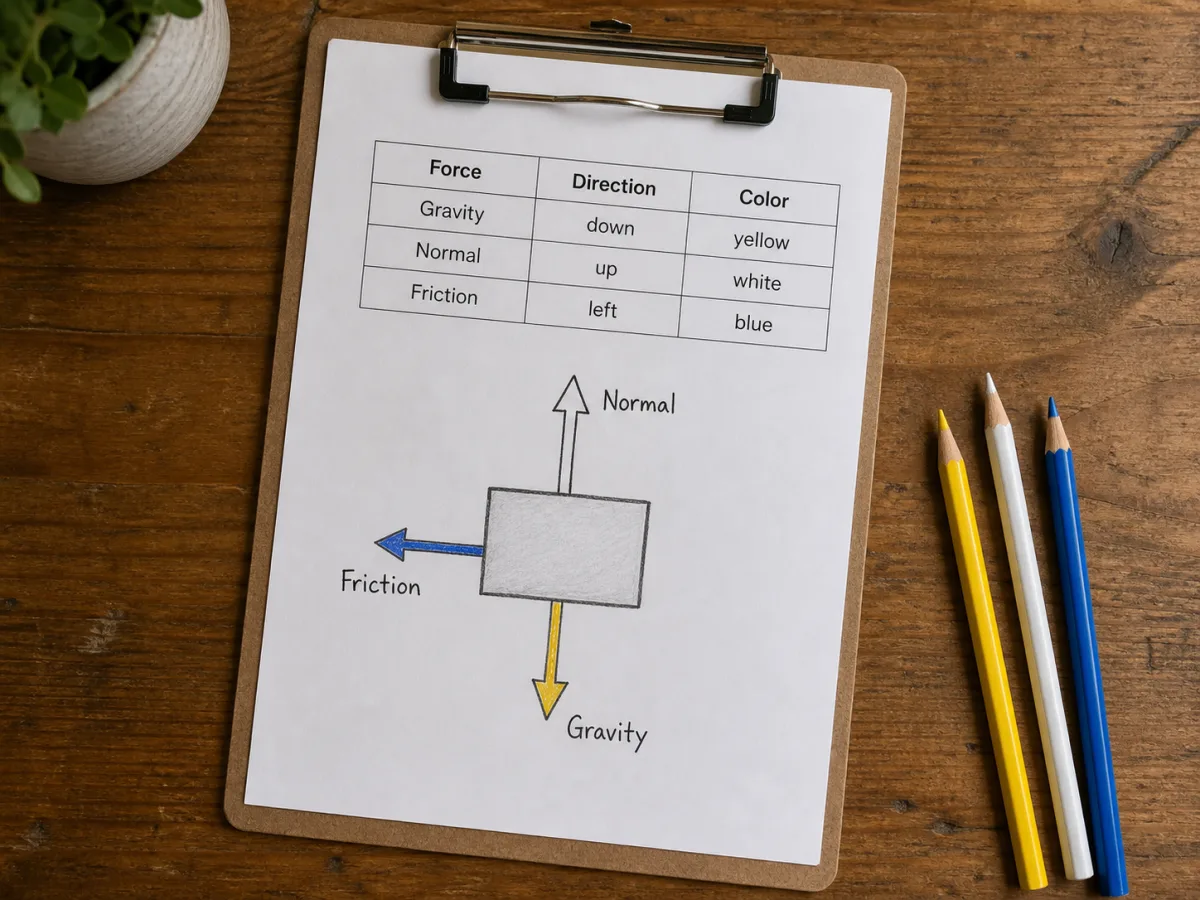
Add as many forces as the problem needs — gravity, normal force, tension, friction, applied force, or anything else — each with its own label, direction, size, and color, so the diagram stays readable even with five or six arrows in play.
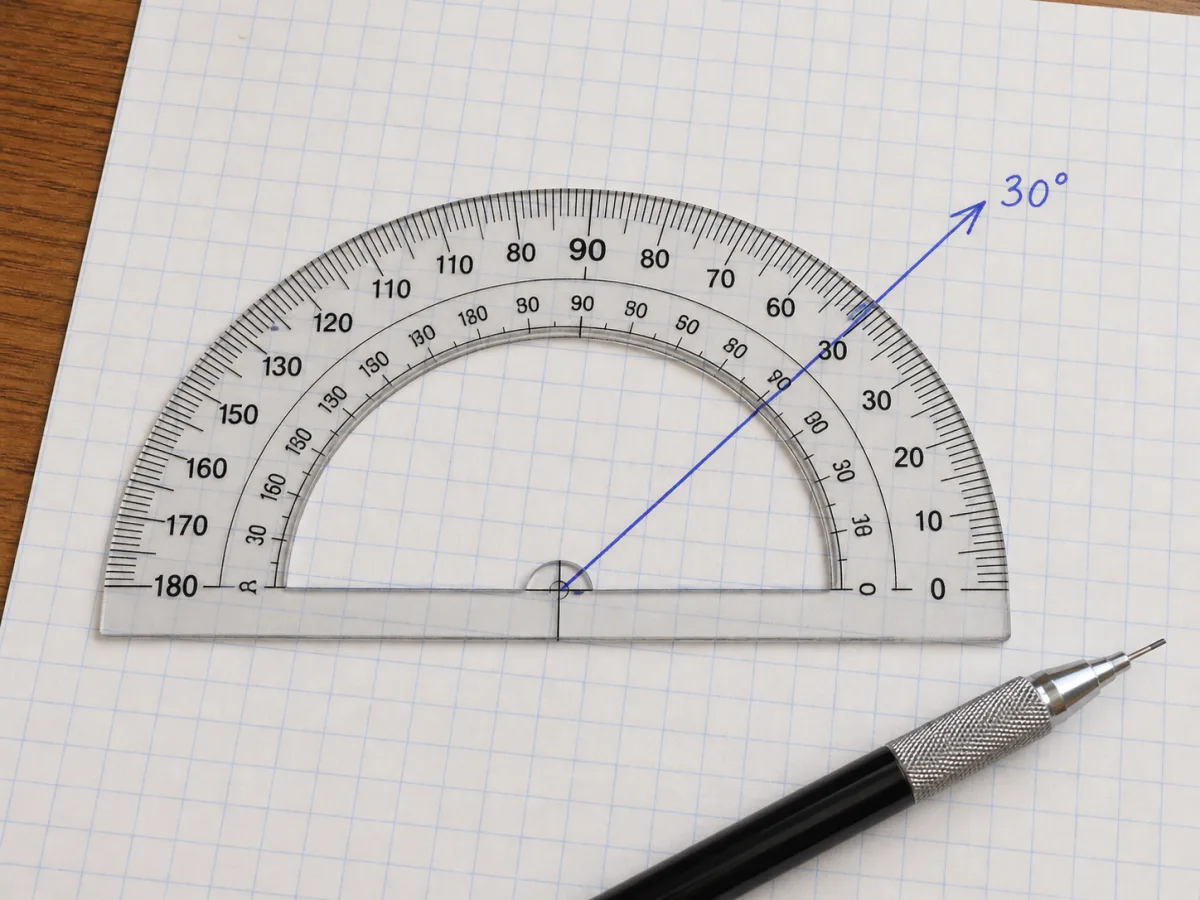
Every force is set by typing a direction in degrees rather than dragging an arrowhead by eye, so a force meant to point at exactly 30 degrees from horizontal actually does — useful when a diagram has to match an angle stated in a problem.
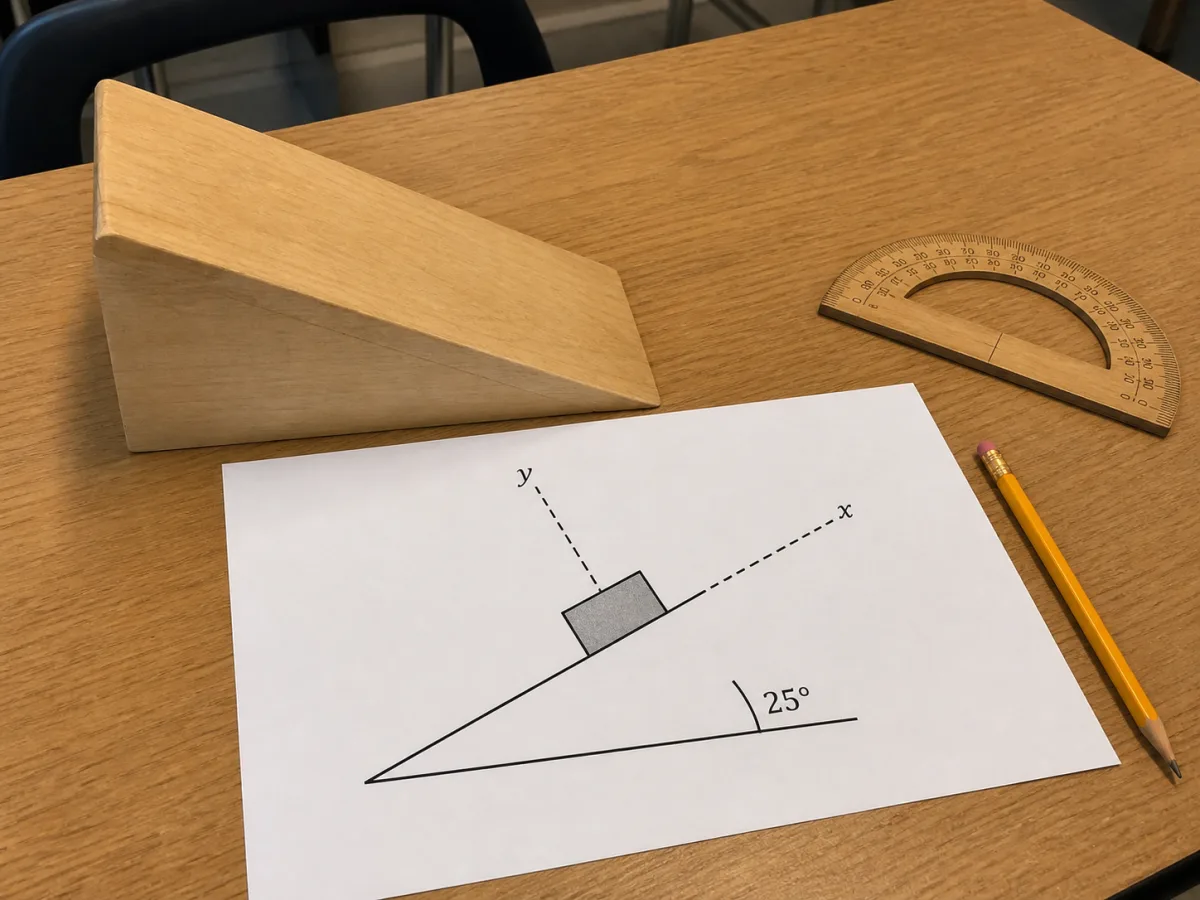
Set an incline angle and the ramp, the object, and the optional coordinate axes all tilt together, so the axes line up with along-the-slope and perpendicular-to-the-slope directions instead of making you re-derive that rotation by hand.
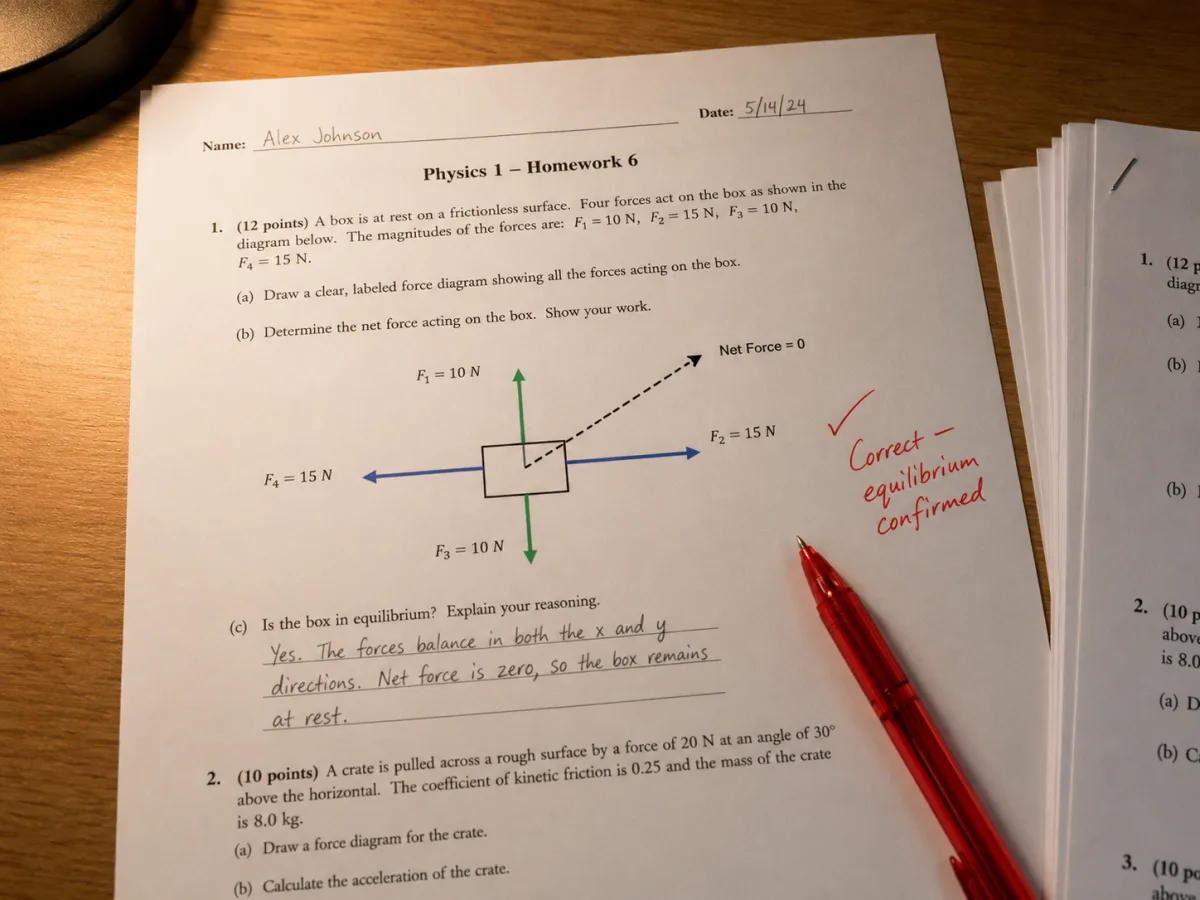
Toggle on the net force arrow and the generator adds up every force's components and draws the result as a dashed vector, the fastest way to check whether a diagram you've drawn actually represents equilibrium or a net acceleration.
The two look alike — arrows on a page — but an FBD carries a specific rule that a general force or vector diagram does not.
One object, its external forces only
Whole system, any forces worth showing
Common questions about drawing and reading force diagrams, answered the way an intro physics course expects.

Type in your forces, tilt the incline if the problem calls for one, and the diagram is ready to export the moment the arrows look right — no software to install, no login.