

Fill in the subject, verb, objects, and modifiers, and this sentence diagrammer draws the classic Reed-Kellogg lines for you — no grammar-parsing engine, no guessing where a phrase belongs.
This sentence diagram generator does not attempt to parse free-form English — you tell it what each word does, and it handles the geometry: the baseline, the dividers, and every slanted modifier line.
Type the simple subject and the main verb. They land on the horizontal baseline, split by the vertical line that marks the core subject-verb relationship.
Choose whether the verb is an action verb or a linking verb. Action verbs unlock direct and indirect object fields; linking verbs unlock a predicate noun or predicate adjective slot instead.
Add adjectives, adverbs, and articles under any word, then add prepositional phrases and choose which word each one modifies. The tool places the slanted lines and phrase stands automatically.
Download the sentence diagram as SVG for editing in a vector app, or as PNG for a worksheet, slide deck, or gradebook comment — both come straight out of your browser.
Four sentence structures a grammar class actually meets, from a bare subject-verb pair to a compound predicate — each built with the same subject/verb/modifier fields.
"Birds sing." Just a subject and an intransitive verb on the baseline, split by one vertical divider — the smallest complete Reed-Kellogg diagram there is.
"The clever fox quickly jumped." Two adjectives hang below the subject on slanted lines, and an adverb hangs below the verb the same way — the standard way Reed-Kellogg diagrams show modification.
"The fox jumped over the lazy dog." The phrase hangs from the verb on its own diagonal-then-horizontal stand, with the preposition on the slant and its object, plus modifiers, on the ledge.
"The dog barked and chased the mail carrier." One subject splits into two parallel verb lines joined by a dashed conjunction line — this is where diagramming sentences starts to show real sentence structure.
Both notations describe how a sentence is built, but they answer different classroom questions — pick the one that matches what you're teaching, or use both side by side.
Function on a line
Constituent structure

There's no canvas to drag lines on. Fill in subject, verb, and object fields and the sentence diagram generator places the baseline, the crossing divider between subject and verb, and the non-crossing divider before a direct object exactly where Reed-Kellogg convention puts them.
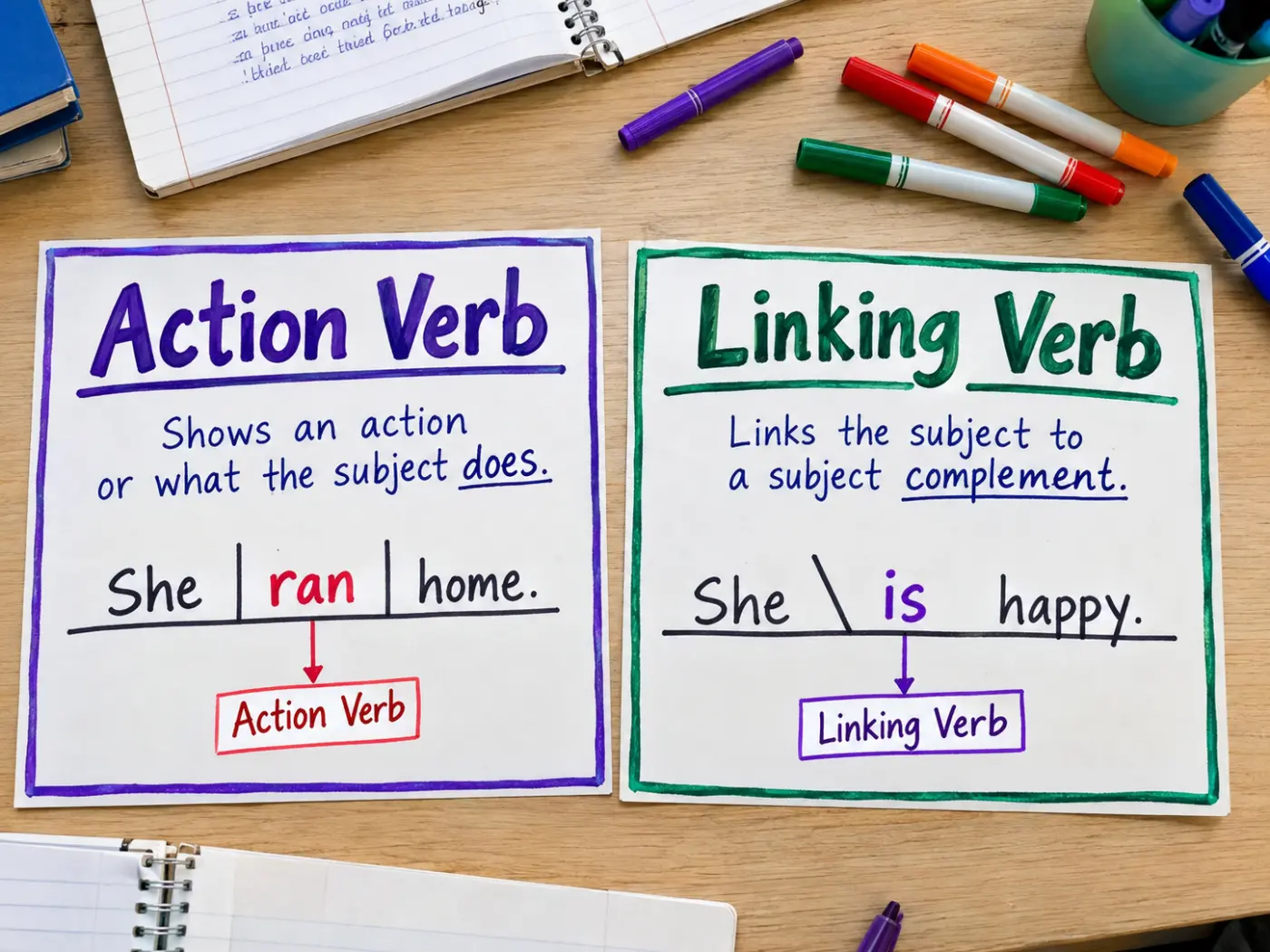
Switch a verb between action and linking and the diagram itself changes: action verbs add a direct object after a straight vertical divider that stops at the baseline, plus an indirect object slanting down from the verb onto a short horizontal line beneath it; linking verbs swap in the backward-leaning line that carries a predicate noun or predicate adjective back toward the subject.
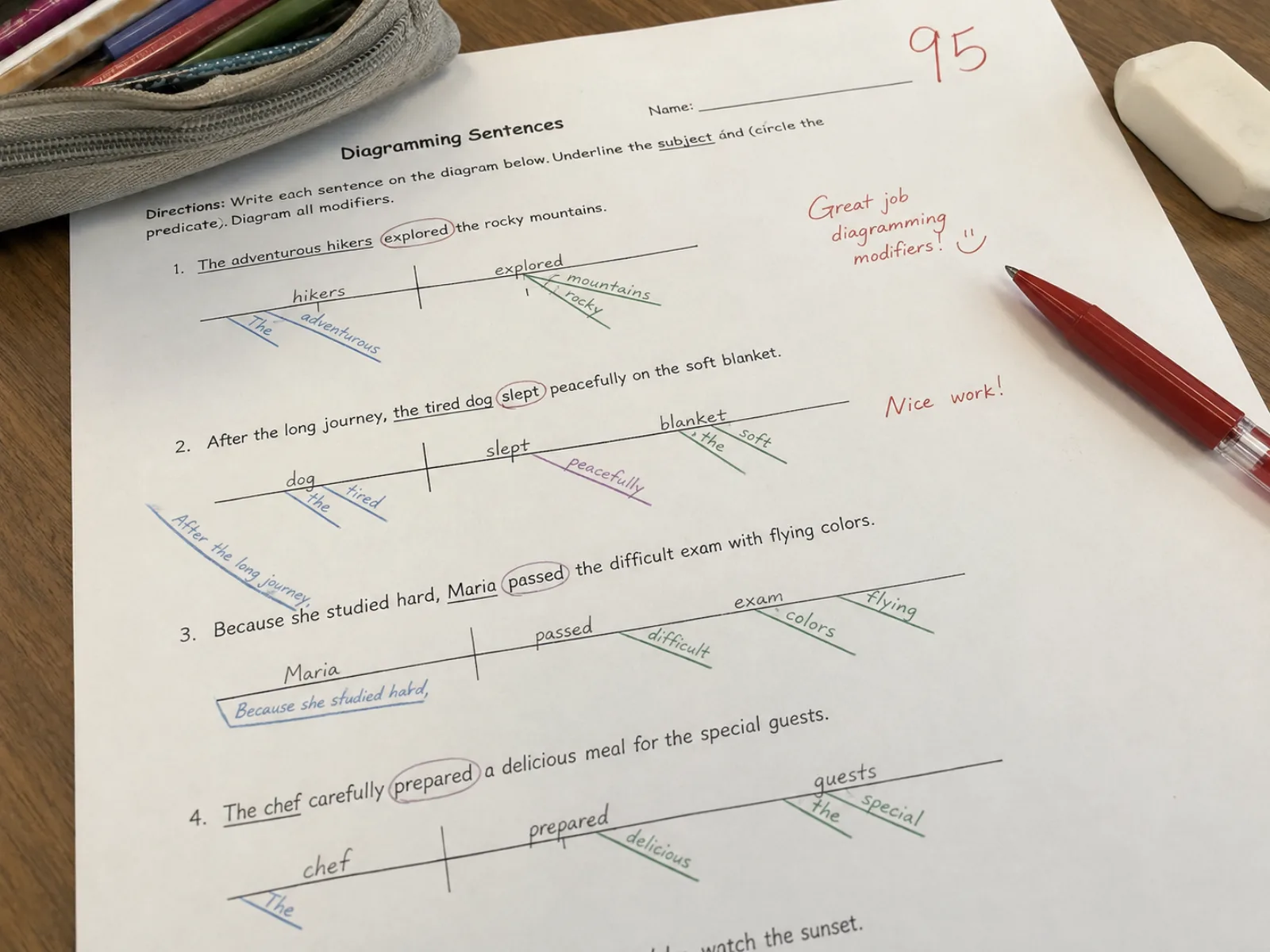
Every adjective, adverb, and prepositional phrase you add asks which word it modifies, then lands on its own slanted line under that word — including phrases nested under the direct object or the indirect object, not just the main verb.
Questions grammar teachers and students ask before diagramming their first sentence here.
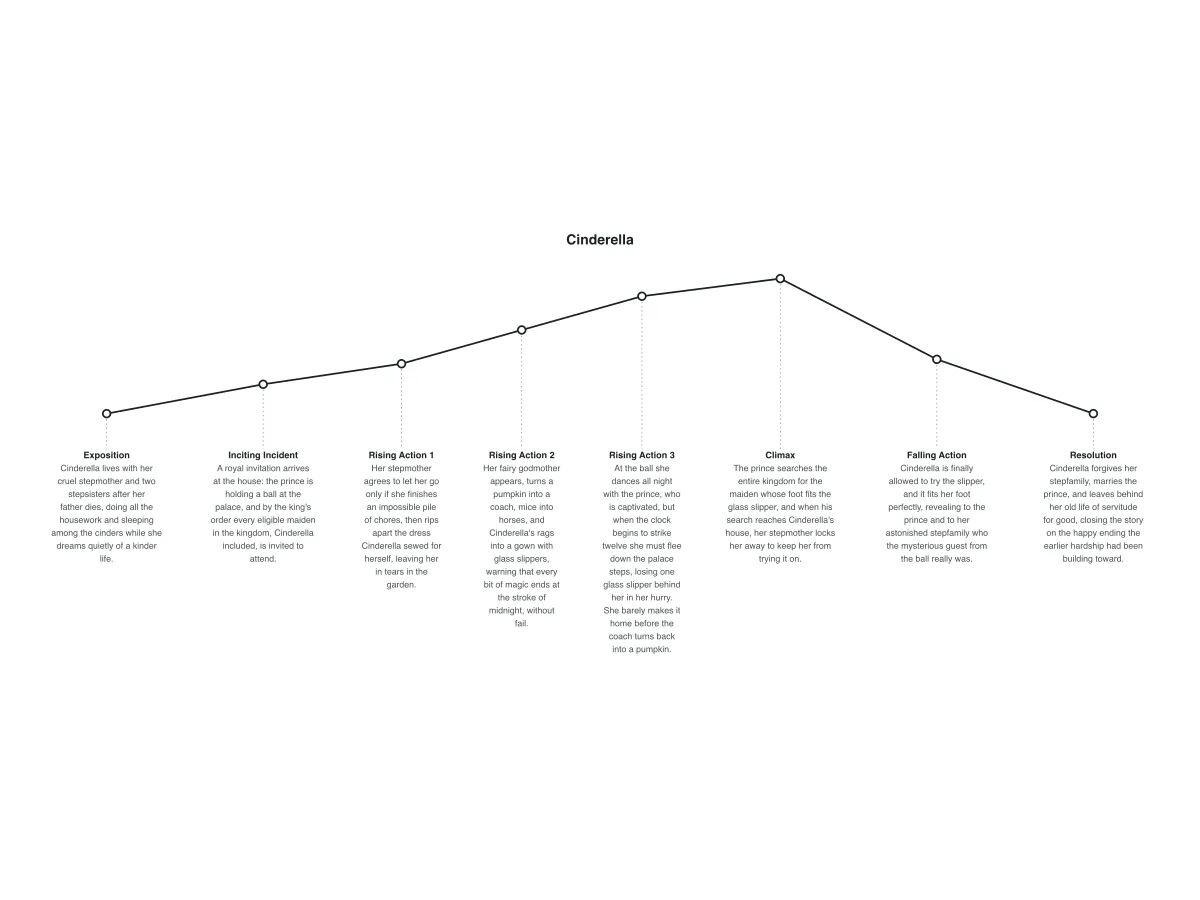
Other diagram generators for the English classroom, from sentence structure to narrative arcs.
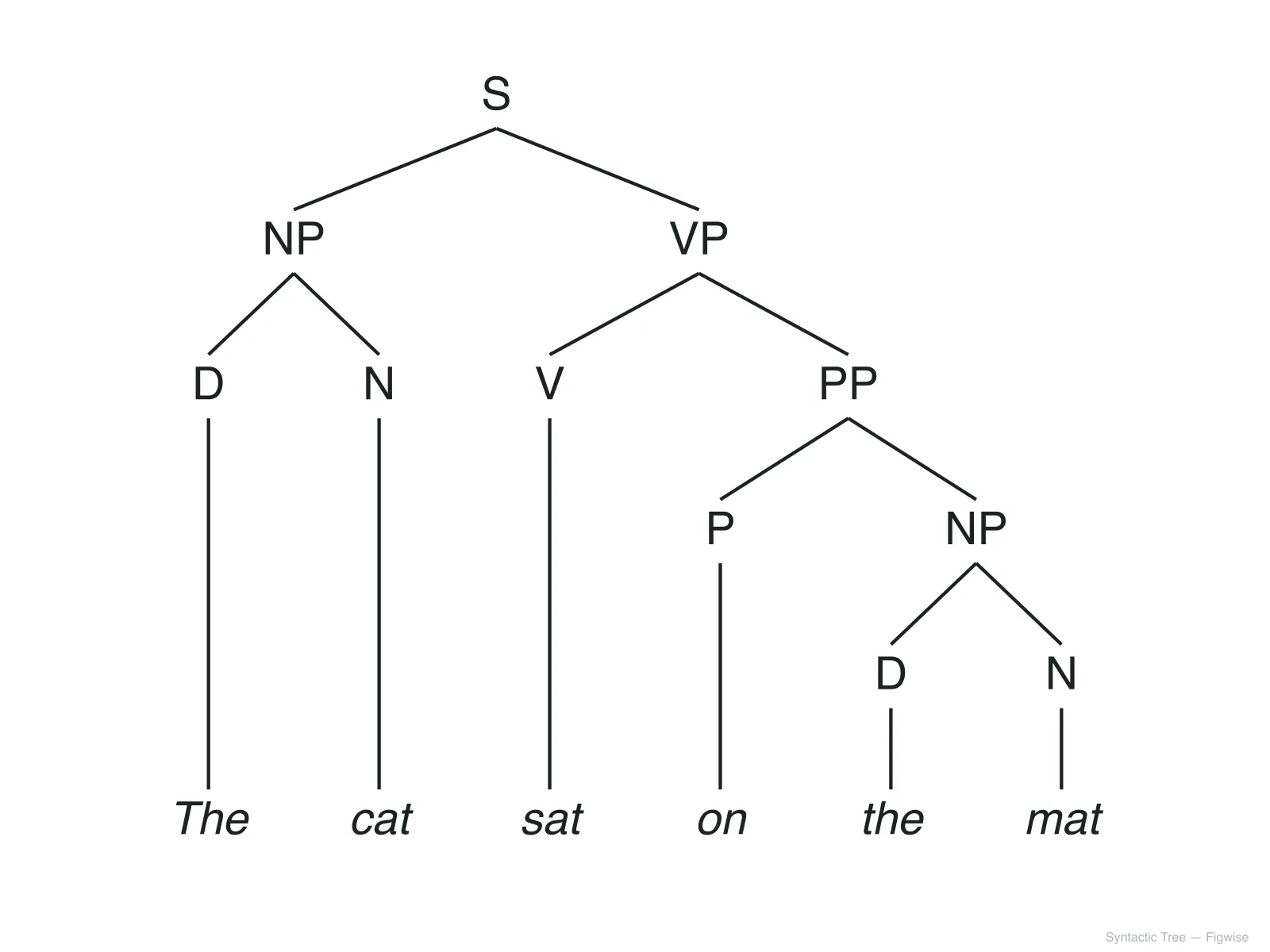
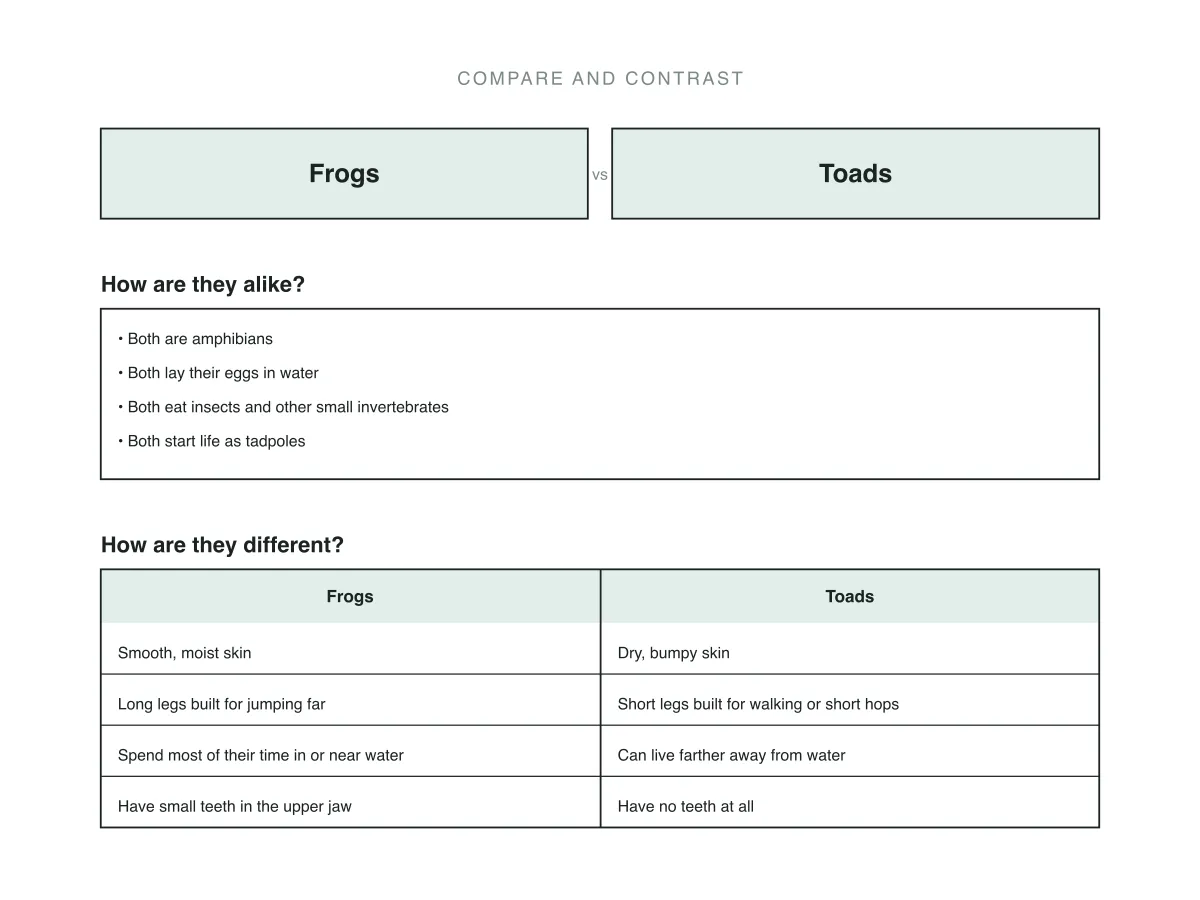
Pick a subject and verb, choose action or linking, and watch the Reed-Kellogg lines fall into place — free, and nothing leaves your browser.