

Paste a feature list and get a publication-style circular plasmid diagram back instantly — resistance marker, promoter, ori, and insert, each drawn with a direction arrow and stacked so overlapping annotations stay readable. This plasmid map maker runs entirely client-side: nothing you type ever leaves the browser.
Four feature lists, four outputs. Each vector map below was produced by the same generator you can use above — no touch-ups, no manual redraw.
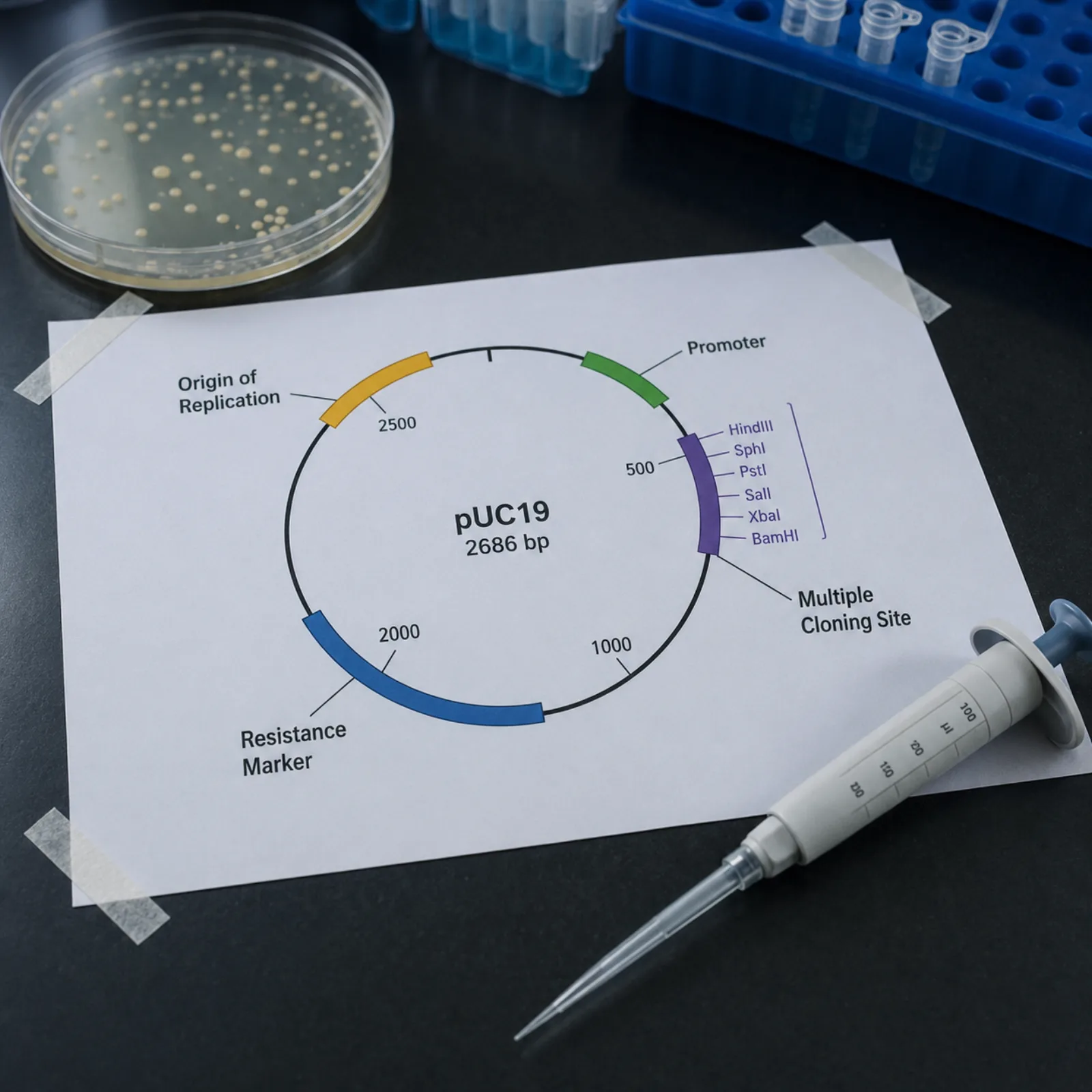
A resistance marker and its promoter sit next to the origin of replication, the layout most cloning vectors share. The plasmid map maker colors each feature type consistently, so a reviewer can scan the ring and know what they are looking at without a legend hunt.
A gene of interest cloned across position 0 does not become a long reversed arc in this plasmid diagram — it is drawn as one short, continuous arc through the origin, matching how the sequence actually wraps on the circular molecule.
Cut sites for a multiple cloning site are added as short outer ticks with enzyme labels, separate from the feature ring, so a digest plan stays legible even on a compact plasmid map.
Two affinity tags and a linker packed close together stack onto separate tracks automatically, keeping every label readable — the kind of dense annotation a fusion construct almost always needs.
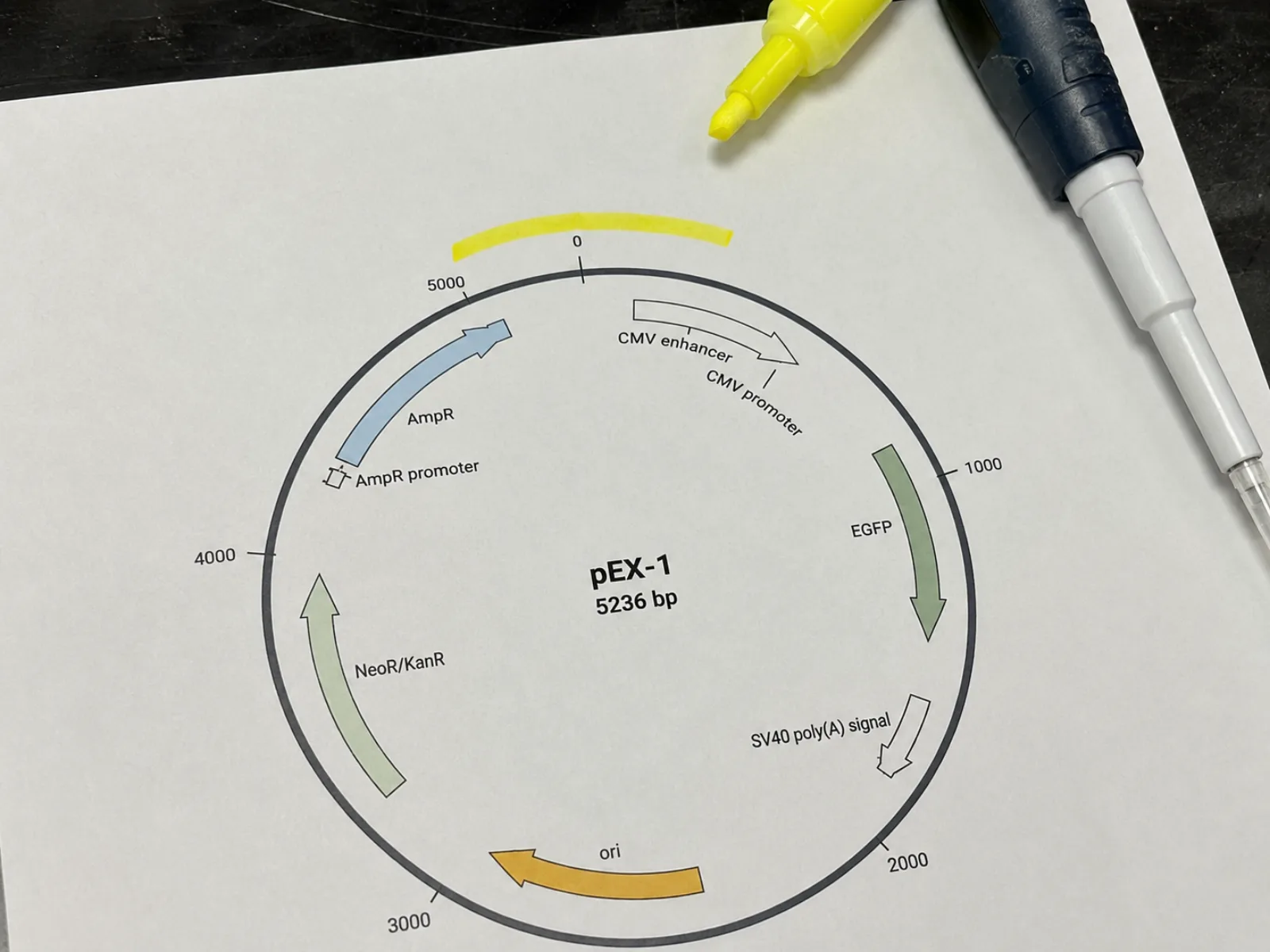
Cloning routinely puts an insert across position 0/length. Most tools force you to split it into two features or, worse, silently draw a long reversed arc across the whole plasmid. This plasmid map maker computes the sweep directly from the feature's span, so a start greater than end always renders as one short arc through the origin.
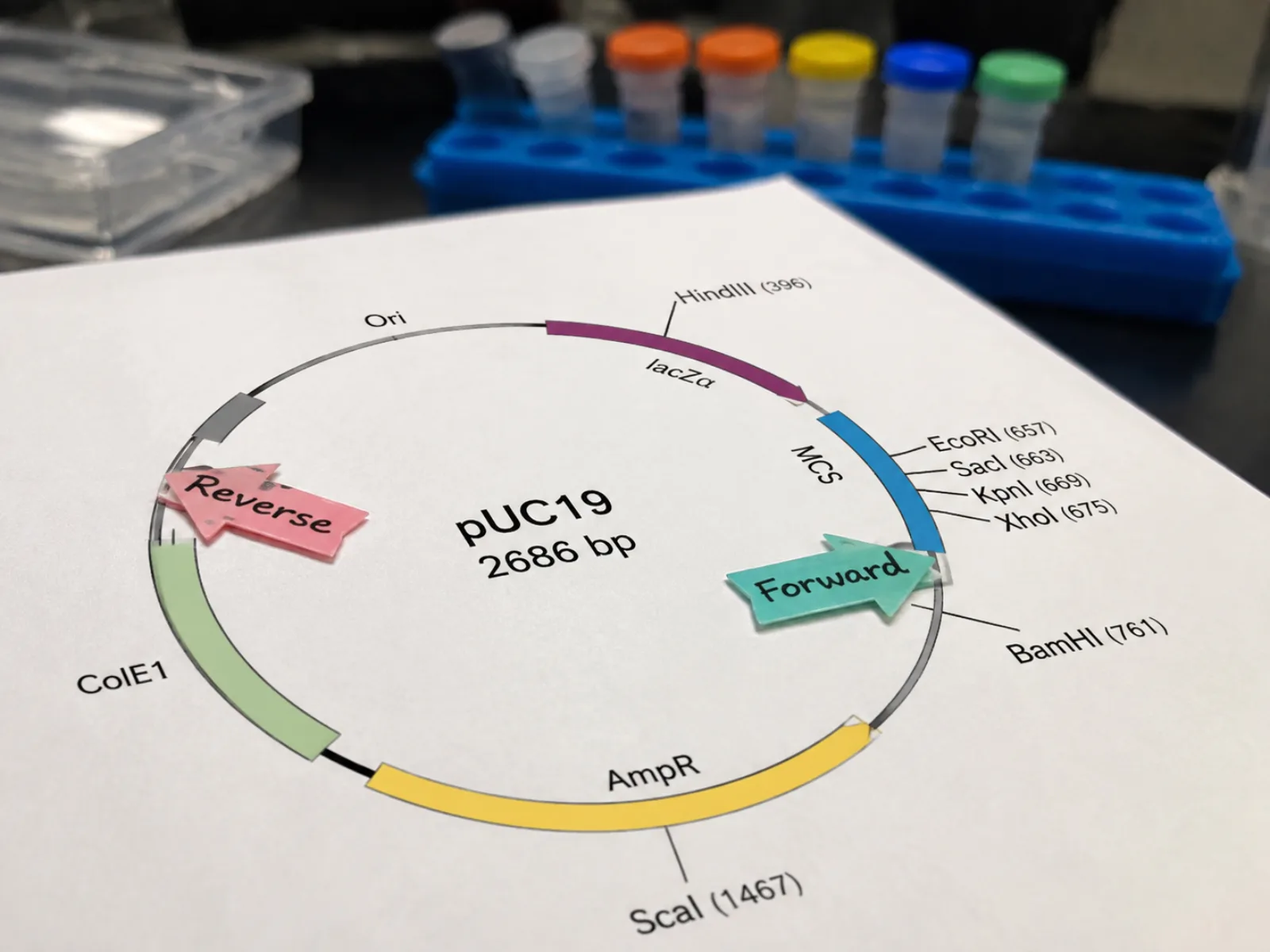
A promoter and a resistance marker often sit on opposite strands, and a coding sequence read backward is a different molecule to a reviewer. Every feature arc in this vector map generator carries an arrowhead showing forward or reverse orientation, and you can flip the whole map between clockwise and counterclockwise numbering.
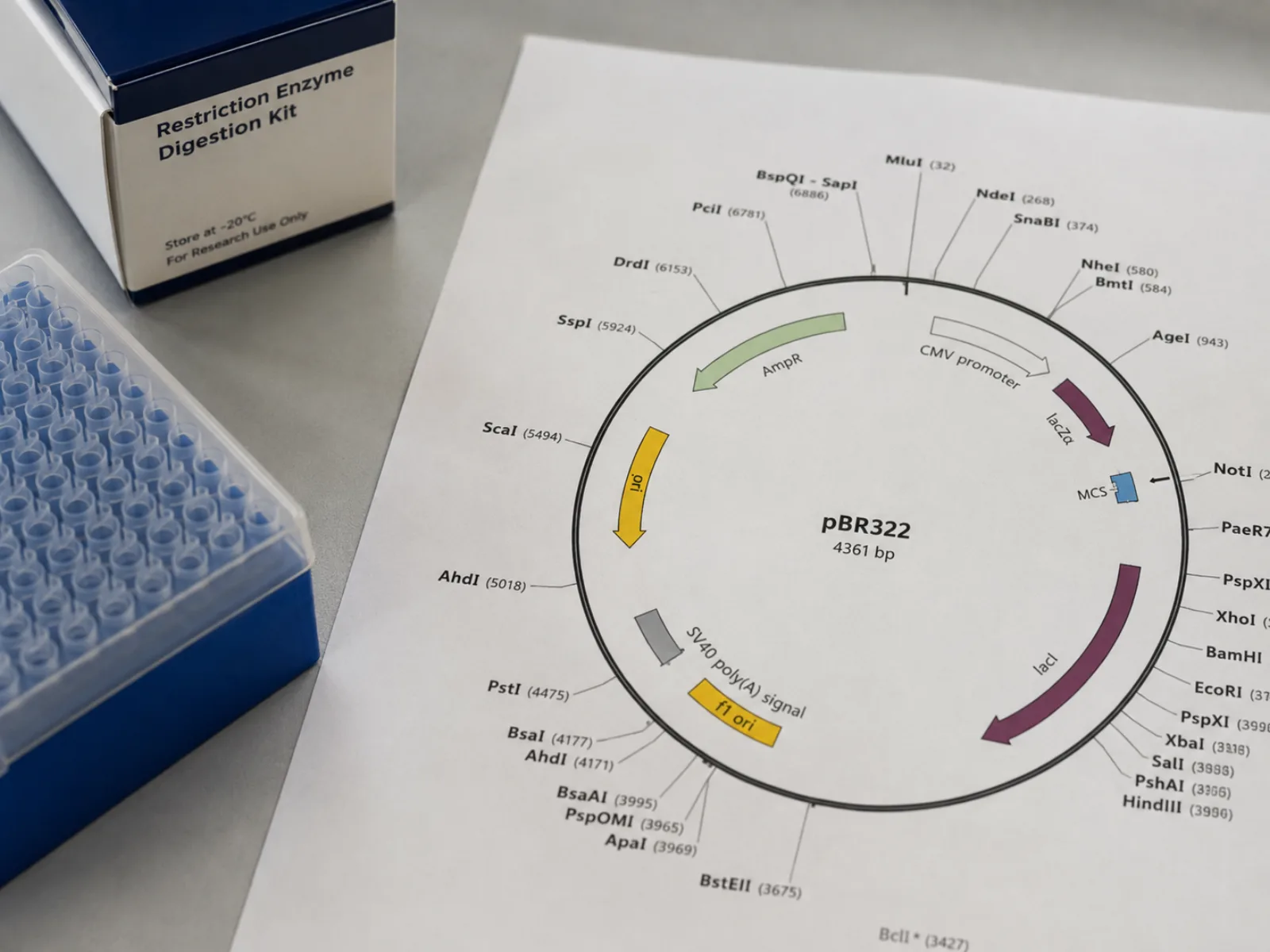
Cut sites are not features — mixing them into the same ring clutters a plasmid diagram fast. Enzyme cut sites render on their own outer tick ring with labels, so a digest plan for a multiple cloning site stays legible next to the annotated features.
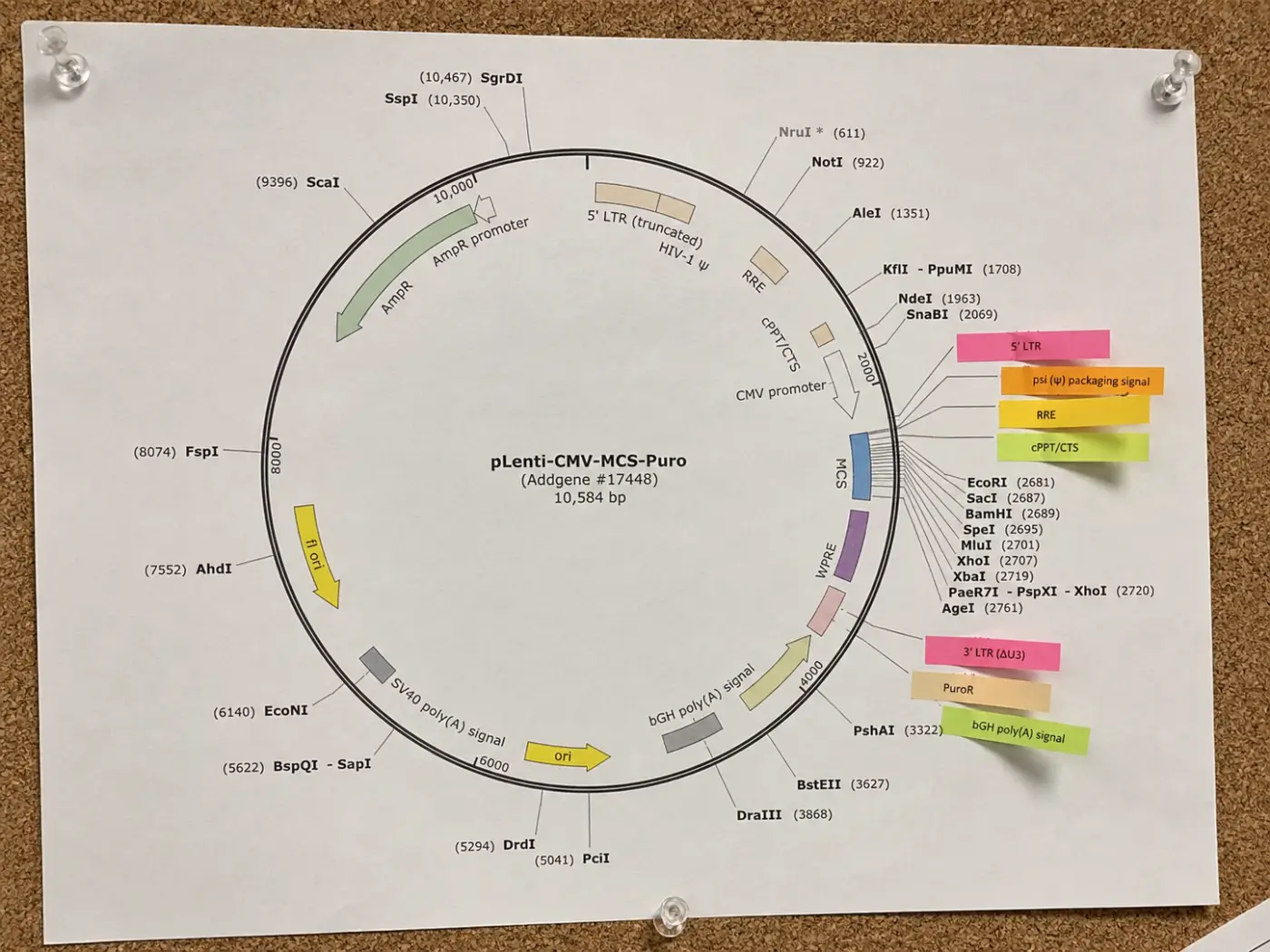
Real constructs pack a promoter, a tag, and a terminator into a few hundred base pairs. This plasmid map maker assigns overlapping annotations to separate tracks automatically, stepping labels outward so nothing collides even in a dense multi-tag construct.
Four steps from a sequence file's feature table to an exportable circular map.
Enter the total length in base pairs, then add one line per feature: name, start, end, type, and an optional direction. Pull these straight from your sequence file's feature table or annotation software.
If a feature's start is greater than its end, this plasmid map maker treats it as spanning the origin and draws one continuous arc — no need to split an insert into two lines just because it crosses position 0.
Add cut sites as enzyme name and position pairs, and choose clockwise or counterclockwise numbering to match how your lab or annotation tool orients the plasmid.
Download the finished plasmid diagram as SVG for a figure you can still edit, or PNG for a lab notebook entry or slide — both come straight from the same rendering the preview shows.
A plasmid map is a circular diagram of a plasmid's sequence that shows where each functional element sits relative to the others — not just a length in base pairs. Papers and lab notebooks use it to communicate, at a glance, what a construct is built from: an origin of replication so the plasmid can propagate in a host, a resistance marker for selection, a promoter driving the gene of interest, and any tags or terminators flanking it.
Direction matters as much as position. Two features can occupy the same coordinates on the DNA and still be biologically different constructs depending on which strand each is read from — a promoter driving transcription clockwise versus counterclockwise changes what it can actually drive. A plasmid diagram that omits arrows is missing information a reader needs, not just a stylistic flourish.
Restriction sites are useful but optional context, not part of the feature list itself: they describe where a digest would cut, not what the sequence does. A map that separates the two — features on one ring, cut sites on another — stays readable as a digest plan even when the construct itself is dense with tags and a resistance marker packed close to the multiple cloning site (MCS).
Common questions about drawing and reading circular plasmid diagrams.
Paste your feature list above and export a publication-ready vector map in seconds — free, no account, no AI credits.