

Enter the participant numbers from your randomized controlled trial. The CONSORT-style flow diagram updates live — download it as SVG or PNG, publication-ready.
See how the same CONSORT flow diagram generator handles different two-arm randomized controlled trial scenarios for a clinical trial flow diagram — from a small pilot study to a multi-site trial with substantial loss to follow-up.
A straightforward two-arm parallel randomized controlled trial: several hundred participants assessed for eligibility, randomized in roughly equal numbers to intervention and comparator, and followed through to final analysis with only minor attrition in each arm.
A small pilot trial where most of the drop-off happens before randomization: a large pool assessed for eligibility is narrowed sharply by strict inclusion criteria and declined participation, leaving a modest number actually randomized into the two study arms.
A multi-site clinical trial where a meaningful share of randomized participants are lost to follow-up or discontinue the intervention in each arm, so the analysed sample at the final stage is noticeably smaller than the number originally allocated.
A large pragmatic randomized controlled trial that allocates participants unevenly between the intervention and comparator arms, tracking discontinuation and analysis exclusions separately for each arm through to the final analysed totals.
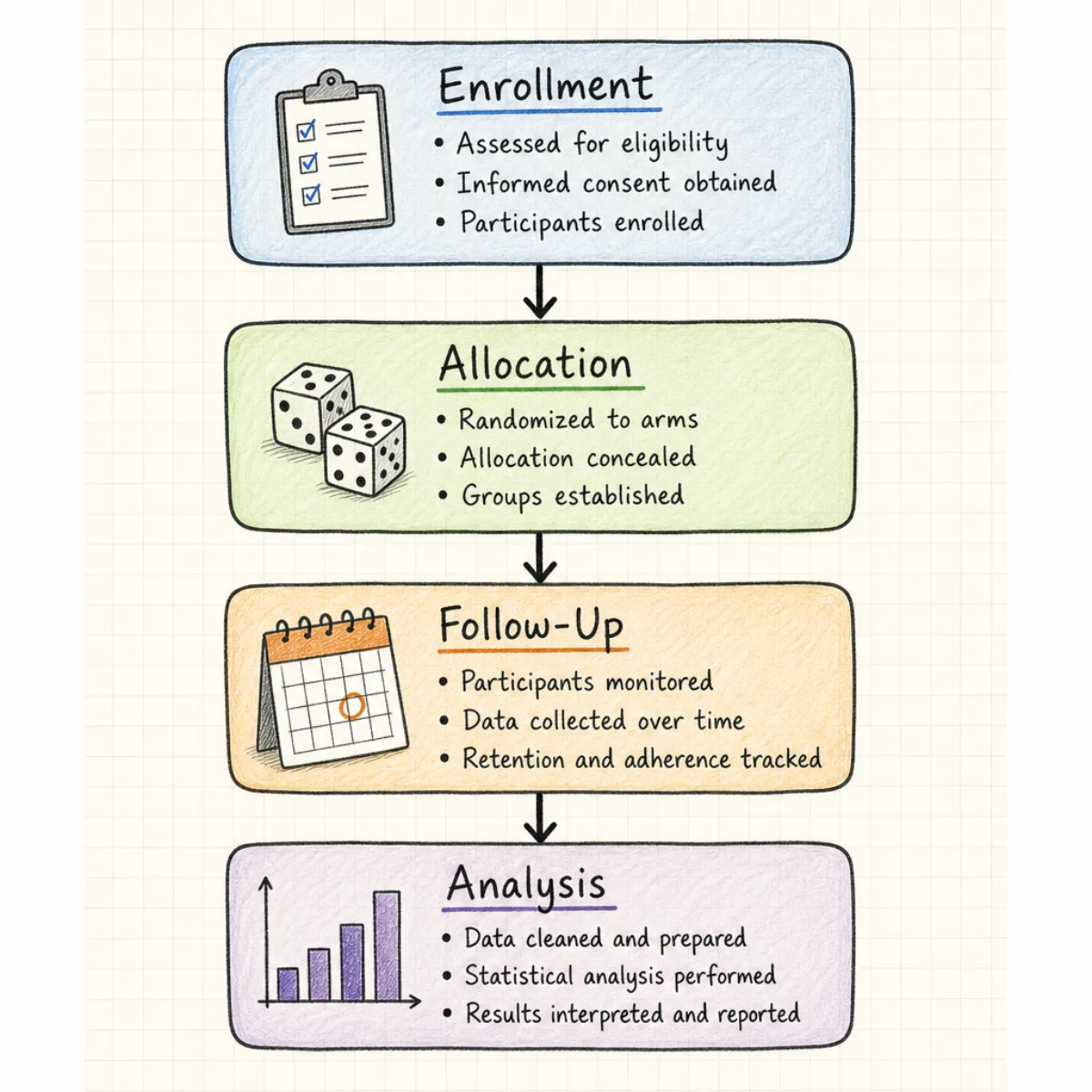
A CONSORT flow diagram is the figure that shows how a randomized controlled trial moved participants through four stages — enrollment, allocation, follow-up, and analysis — recording how many were assessed, randomized, retained, and ultimately analysed in each study arm, so readers can trace exactly where and why participants left the trial.
CONSORT (Consolidated Standards of Reporting Trials) is the reporting standard for randomized trials, and the current CONSORT 2010 statement, published by Schulz KF, Altman DG, and Moher D in 2010, specifies the box wording, stage order, and layout that the flow diagram must follow. Most medical, health, and clinical journals require a CONSORT 2010 flow diagram, with its exact structure, as a condition of publishing a trial report.
This CONSORT flow diagram generator builds that exact figure from the participant counts you already have — enter the numbers for eligibility, randomization, allocation, follow-up, and analysis, and the diagram redraws itself in the two-arm layout reviewers and editors expect to see.
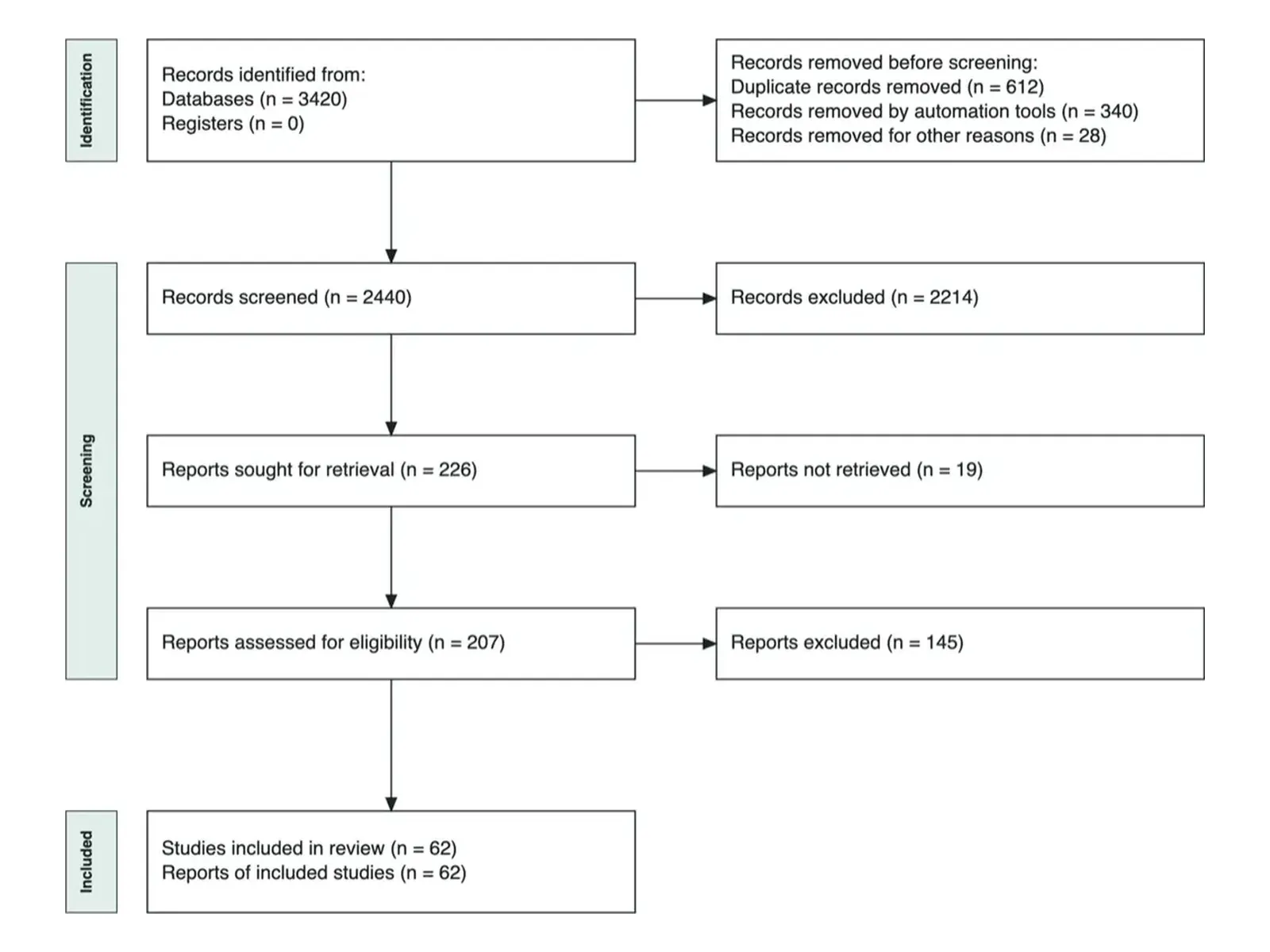
A CONSORT flow diagram generator and a PRISMA flow diagram generator both use a boxes-and-arrows flow diagram, but they report on entirely different kinds of research and are not interchangeable — using the wrong one is a common reason editors send a manuscript back for revision.
For randomized trials
For systematic reviews
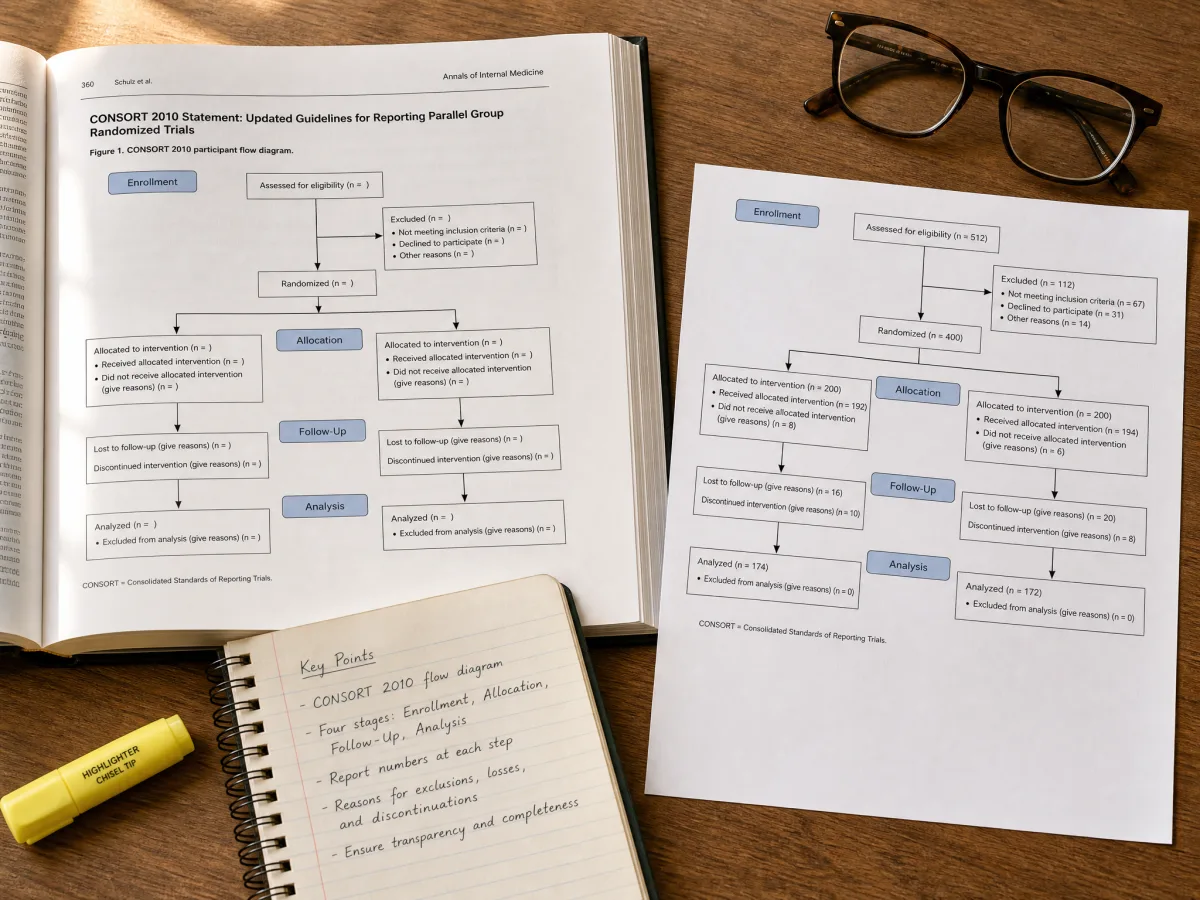
Many flowchart tools produce a CONSORT flow diagram template that merely looks like CONSORT. This CONSORT flow diagram generator reproduces the box labels, four-stage order, and two-arm branching structure from the official CONSORT 2010 statement box by box, so your figure matches what trial reviewers are trained to check for — no relabeling required before submission.

Enter the number assessed for eligibility, excluded and why, randomized, allocated to each arm, lost to follow-up, discontinued, and analysed, and the diagram redraws immediately. You see the finished figure before you commit to a layout, and you can adjust any count later without starting over.
Four steps, no design software: gather your trial's participant flow numbers, enter the counts, review the live preview, and export. The generator below builds a CONSORT flow diagram as you enter each count.
Pull the numbers from your trial database and enrollment log: how many were assessed for eligibility, excluded and why, randomized, and allocated to each arm, plus how many were lost to follow-up, discontinued, or excluded from the final analysis in each arm.
Fill in each stage of the form — enrollment, allocation, follow-up, and analysis — for both study arms. The CONSORT-style flow diagram builds itself from these figures as you type.
Compare the generated flow diagram against your trial protocol or statistical analysis plan to confirm every excluded, lost, or discontinued participant is accounted for and the arm totals reconcile from randomization through to analysis.
Download the diagram as SVG for vector-quality print or PNG for online submission systems, then drop it into your manuscript as the required CONSORT flow diagram figure, typically Figure 1.
Everything trial authors ask before using a CONSORT flow diagram generator for the first time.
Enter your trial's participant numbers above and download a publication-ready CONSORT 2010 flow diagram in SVG or PNG — free, no signup.